E-commerceOnline ShopsHeadless CMSIT strategyWebsitesCMS - Content Management System19 min czas czytania22 579 znaków3712 słów
Headless commerce — when a headless store makes sense, and when a classic one is enough
Headless commerce without the hype: how it differs from a classic store, Shopify Hydrogen, Medusa JS and Shopware pricing, costs, SEO, and when to skip it.

Redakcja Digital VantageYour Partner in Business, Digital Vantage Team · Digital Vantage team is a group of experienced professionals combining expertise in web development, software engineering, DevOps, UX/UI design and digital marketing. Together we carry out projects from concept to implementation - websites, e-commerce stores, dedicated applications and digital strategies.
Our team combines years of experience from technology corporations with the flexibility and immediacy of working in a smaller, close-knit structure. We work in agile methodologies, focus on transparent communication and treat each project as if it were our own business.
The strength of the team is the diversity of perspectives - from systems architecture and infrastructure, frontend and design, to SEO and content marketing strategy. As a result, the client receives a cohesive solution where technology, aesthetics and business goals go hand in hand.
Publikacja
Aktualizacja
Headless commerce is a way of building an online store where the layer the customer sees — product pages, cart, content — runs separately from the engine that holds the catalogue, prices and orders. The two talk to each other through an API. That split buys you freedom over how the store looks and behaves, at the cost of a second layer someone has to build and maintain.
This article helps you decide whether headless commerce is right for you. It's based on vendor definitions, documentation and pricing pages read on 30 September 2026. We build stores in this architecture ourselves, so we also cover when we talk clients out of it. You won't find customer case studies with percentage gains here — instead, criteria you can check against your own store.
Headless commerce — what it is
The shortest definition comes from commercetools, one of the vendors of this kind of platform: "Headless commerce is an architecture that separates the frontend experience layer from backend commerce functionality, exposing capabilities through APIs".
"Head" here means the storefront. A headless store has no single built-in head in the form of a theme — the engine exposes data and operations (show a product, add to cart, place an order), and you build the front end separately. There can be several of these fronts at once: a website, a mobile app, an in-store kiosk.
Headless commerce often comes up next to another acronym: MACH. The MACH Alliance manifesto spells it out as "microservices-based, API-first, cloud-native SaaS, and headless" — an architecture built on microservices, designed around APIs, running in the cloud as SaaS, and headless. Headless is one of the four letters, not a synonym for all of MACH. On its MACH explained page, the organisation frames its approach around three principles — Open, Composable and Connected — and says of the last one: "Connected architecture is API-first, real-time, and interoperable by design."
That brings in a second term: composable commerce. That's a store assembled from separate services — a catalogue from one vendor, search from another, content from a third — connected by API. Every composable store is headless, but not every headless store is composable: you can run a single engine (Shopify, say) with just your own front end on top.
It's also worth telling headless commerce apart from headless CMS. A headless CMS manages page content (articles, landing pages) with no built-in front end — a related topic, but about content, not cart and checkout. A headless store often runs both at once: a commerce engine and a separate CMS for marketing content.
Classic store vs. headless — what changes
In a classic store, the front end and the engine are one system. That's how SaaS platforms (Shopify, BigCommerce) and open source with a theme (WooCommerce, PrestaShop) both work. You change the look through a theme and its settings, add functionality through apps or plugins, and everything runs on one server or with one vendor.
In a headless store, you split that system into two parts:
- The engine (back end) — products, prices, stock, cart, orders, customers, payments. It can be a SaaS platform (e.g. Shopify), open source (e.g. Medusa, Shopware), or a custom-built system.
- The front end — a separate application that pulls data from the engine over an API and renders it for the customer. You build it from scratch or on a framework (e.g. Hydrogen, Next.js).
In this setup the API is the contract between the two halves: the engine publishes a set of operations and data formats, and the front end consumes them.
Who maintains what
The most important practical change is about responsibility. In a classic SaaS setup, the vendor does a large share of the work as part of the subscription — hosting, platform updates and security sit on its side. Shopify's pricing page, for example, lists unlimited web hosting and a free SSL certificate among its plan features. In open source with a theme, that scope shifts to you or your agency: hosting, updates to the engine and plugins, backups.
Headless adds a third element to that split. You maintain the engine according to its own model (the SaaS vendor, or you, for open source), while the front end — its code, hosting, dependency updates and monitoring — is always on your side or your agency's. On top of that comes integration: any change to the engine's API can force a change in the front end.
Classic store vs. headless — who owns which layer
Digital Vantage, based on Shopify's pricing pages, shopify.dev documentation and commercetools' definition of headless commerce, read 30.09.2026
The code is yours, the data stays in the engine
With headless you'll often hear that the front-end code belongs to you. That's true if your contract says so and the repository sits in your own account. But products, customers and orders still live in the engine — so the exit terms for that engine matter just as much as they would for a classic store. Shopify's help centre documents exporting customers, orders and products to CSV files (customers, orders, products). With an open-source engine on your own server, the database is simply yours. Before you choose an engine, check what you can actually get out of it — the same test we describe in our ecommerce platform comparison. We cover how to evaluate a cloud vendor generally in our guide to SaaS.
When headless commerce makes sense
Headless isn't a "better version" of a store — it's a different split of the work. It pays off when the limits of one system cost you more than maintaining two does. That tends to happen in four situations.
You need a front end a theme can't give you. An unusual product configurator, a custom order flow, product pages tightly woven into editorial content. In a classic store, every such requirement becomes a theme workaround or another plugin. In headless, you build the front end around the process, not the other way round.
You sell through more than one channel. One catalogue needs to feed a website, a mobile app, and an in-store screen, or several sites for different markets. In headless, every front end draws on the same API and the same data.
Performance and control matter to you. You want to decide what loads, how, where the front end runs, and how pages are cached, instead of relying on theme and platform hosting settings. Headless gives you that control — it doesn't guarantee it. Speed depends on how the front end is actually built (more in the SEO section below).
Integrations are the core of your sales process. Per-account pricing, ERP stock levels, warehouse-system rules. This often goes hand in hand with B2B — we cover that in our article on B2B platforms.
When headless doesn't pay off
You have a small catalogue and a standard buying process. If a platform's theme and apps already cover what you need, headless adds cost without adding value. This is the same thing we tell people on our own offer page: for a first store with 50 products, headless is often overkill, and we'll say so and recommend a classic store instead.
You don't have a team or budget for the front end. The front end is an application: library updates, security patches, monitoring, changes whenever the engine's API changes. If nobody owns that after launch, every change to the store turns into a developer ticket.
You haven't validated demand yet. While you're still testing an offer, what matters is how quickly you get the first order. How to launch fast and cheap is covered in our guide, how to start an online store.
Your team wants to change page layout themselves. In a classic store, marketing rearranges blocks in the theme editor. In headless that's still possible, but it has to be designed for (a CMS with blocks, for instance) — otherwise every change needs a developer.
If you're not sure which model to start with, our ecommerce platform comparison lays out the differences between SaaS, open source and headless based on vendors' pricing pages, and the which ecommerce platform quiz narrows it down in seven questions. We cover classic-variant costs in our article on what an online store costs.
Headless: when yes, when no
Digital Vantage, 30.09.2026
Tools: Shopify Hydrogen, Medusa JS, Shopware, commercetools and Next.js
Below is only what we could confirm in vendor documentation and pricing pages on 30 September 2026. Prices change — check the current price list before you decide.
Shopify headless: Hydrogen and Oxygen
Shopify lets you keep its engine and build your own front end. The Hydrogen fundamentals documentation describes two pieces:
- Hydrogen — "A set of components, utilities, and design patterns that make it easier to work with Shopify APIs."
- Oxygen — "Shopify's global serverless hosting platform, built for deploying Hydrogen storefronts at the edge."
The important part for your budget: according to the documentation, "Oxygen is available at no extra charge on paid Shopify plans: Starter, Basic, Grow, Advanced, Plus, and Pause and build." Front-end hosting is included in your Shopify subscription, in other words. On the Ireland pricing page (EUR shown), Basic runs €32/month billed monthly or €24/month billed annually, Grow €92/€69, Advanced €384/€289, and Plus "Starts at €2,100 EUR/mo". If you use a third-party payment gateway instead of Shopify Payments, Shopify adds a transaction fee of 2% on Basic, 1% on Grow, 0.6% on Advanced and 0.2% on Plus, on top of the gateway's own fee.
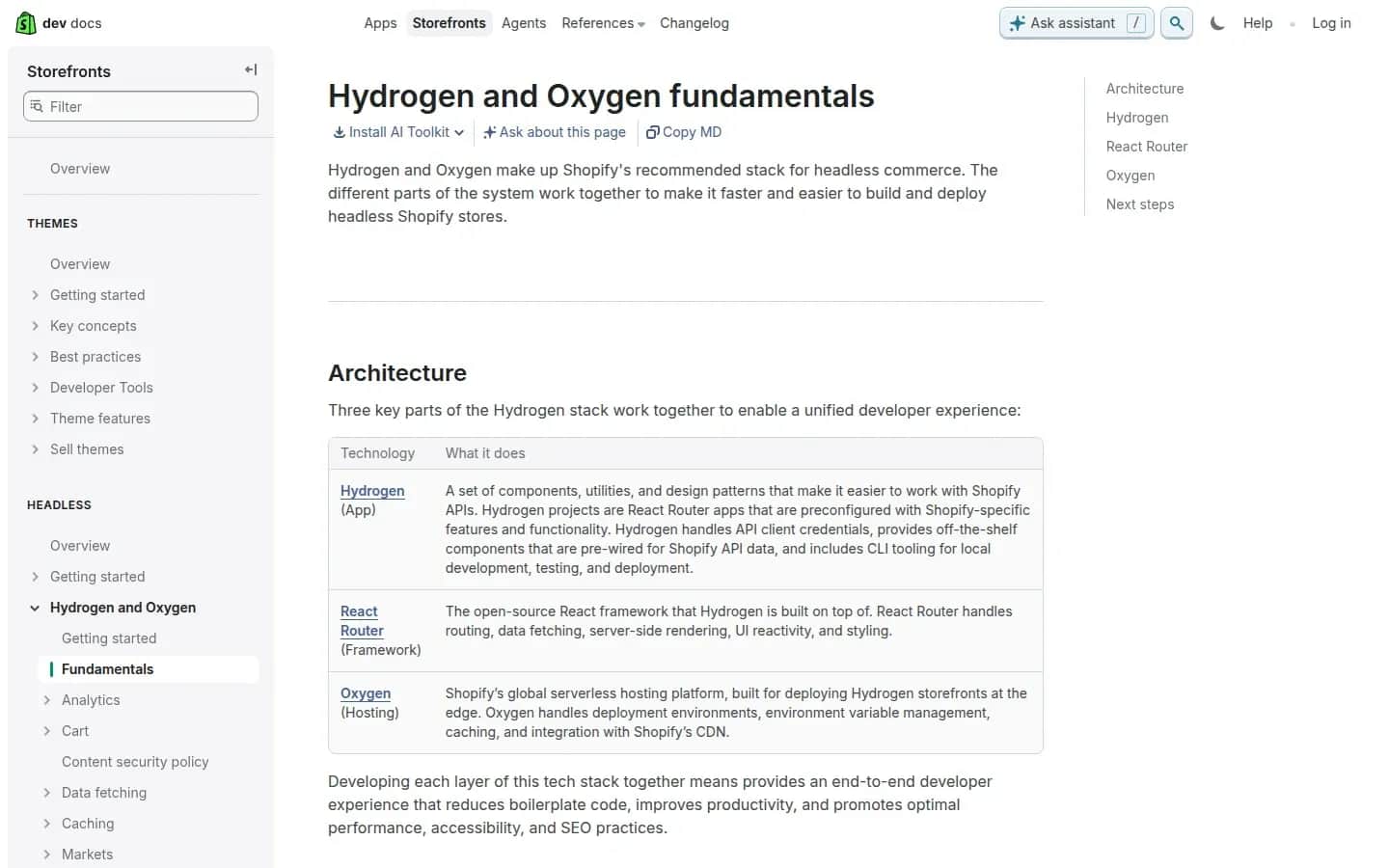
Hydrogen and Oxygen in Shopify's documentation
shopify.dev/docs/storefronts/headless/hydrogen/fundamentals, screenshot of 30.09.2026
Going Shopify headless carries less risk than building everything from scratch: the catalogue, checkout, payments and admin stay with the vendor, and you're responsible for the front end. The trade-off is dependence on Shopify at the engine layer, and on its fees (more in the cost section).
Medusa JS — an open-source engine
Medusa is a store engine you build your own back end on top of. Its documentation describes it this way: "Medusa is an AI-native commerce platform with a Framework to build custom commerce features." You build the front end separately, so Medusa runs headless by nature.
Licence: the LICENSE file in the repository says that, apart from the Enterprise Edition materials ("Except for the Enterprise Edition materials identified in ENTERPRISE-LICENSE.md"), the repository is under the MIT licence. You can run the core on your own server with no licence fee.
If you don't want to maintain a server, there's Medusa Cloud: the Develop plan from $29/month, Launch from $99, Scale from $299, and Enterprise priced individually. The pricing page states "0.0%" of GMV, but does charge for exceeding usage limits. Older plan names (Hobby, Pro) that still circulate in articles are out of date.
Medusa gives you the most freedom over store logic, but it needs a team that knows the framework — this is a store built by developers, not configured in an admin panel.
Shopware
Shopware is an open-source engine. Its pricing page lists: Community Edition "Free" under the MIT licence, the Rise plan from €600/month, Evolve from €2,400/month (excl. VAT), and Beyond priced individually. Paid plans are priced, per the vendor, by GMV ("gross merchandise value") "and further individual factors." If you're considering Shopware as the engine behind a separate front end, check the vendor's documentation for the scope of its storefront API — we don't go into that detail here.
commercetools
commercetools is the platform vendor whose definition of headless commerce we quoted above. We use only that definition in this article — we haven't verified commercetools pricing, so we don't quote a figure.
Headless modules in SaaS platforms
Some regional SaaS store platforms sell a headless front end as an add-on rather than including it by default. If you're considering one of these, ask explicitly whether a "headless front" or "PWA front" module is a separate paid tier, what it actually unlocks (a decoupled front end, or just a faster theme), and whether it's limited to a specific pricing plan — we found at least one vendor that gates this kind of module to its top plan. Don't assume headless comes "free" with a SaaS subscription until you've checked.
A front end in Next.js
A headless store's front end doesn't have to run on the engine vendor's own tooling. We build ours in Next.js, on top of Shopify or a custom-built engine — that's how we describe it on our headless store page. The framework doesn't decide speed or SEO on its own; how you build the pages, caching and data loading does.
Cost and team for a headless store
We're not going to give you a "headless costs from X to Y" range here, because a figure like that without your own scope doesn't mean anything. Instead, here's a list of what you're actually paying for — worth checking in every quote.
Two systems instead of one. You pay for the engine (a SaaS subscription, a cloud plan like Medusa Cloud, or a server for open source) and separately for the front end: building it, hosting it, maintaining it. The exception is Oxygen hosting for Hydrogen front ends, bundled into paid Shopify plans.
Payment fees from the engine. If the engine is Shopify and you take payments through an external processor instead of Shopify Payments, Shopify adds a "third-party transaction fee" — 2% on Basic, 1% on Grow, 0.6% on Advanced and 0.2% on Plus — on top of the processor's own fee. This is a line item that's easy to miss in headless, because you're designing checkout yourself.
Integrations. Every connection — ERP, warehouse, carriers, payment processor, CMS — has to be built through an API, tested, and maintained whenever one side ships a new version. In a classic store, some of these are ready-made apps you install from the admin.
People after launch. The front end needs someone to keep dependencies updated, respond to bugs, and ship changes. With two vendors you also have two sets of availability and support terms — read what each SLA actually promises before you rely on it.
Build your own estimate in the online store cost calculator, which has a headless variant with a Next.js front end. To compare the cost of ownership over several years, use the ecommerce TCO calculator — for headless, add the front end and its maintenance to the result separately.
Headless, SEO and performance
Headless isn't faster or more visible in Google by definition. It gives you control over what decides speed: how much code reaches the browser, which pages are pre-rendered, how caching works. A badly built headless front end can be slower than a well-configured theme.
Measure the result with Core Web Vitals. Since 2024, responsiveness to interactions — INP — has been part of them. As the web.dev team announced, "INP will officially become a Core Web Vital and replace FID on March 12 of this year" — INP replaced FID on 12 March 2024. According to web.dev, an INP at or below 200ms means good responsiveness, 200–500ms needs improvement, and above 500ms is poor. In a store, INP covers things like how fast filters react, how fast the "Add to cart" button responds, and checkout steps — exactly the places you design yourself in headless.
On the SEO side, headless shifts onto you things a theme handles automatically: titles and descriptions, product structured data, a sitemap, canonical URLs, redirects. Write that into your requirements before you start, and design cart and checkout with the same care.
If you're moving to headless from a working store, that's a migration, with all the usual risk. Google's documentation on moving a site recommends permanent redirects, 301 or 308, kept "for as long as possible, generally at least 1 year," and warns: "you may experience ranking fluctuations while Google recrawls and reindexes your site." A migration plan — a URL map, testing, monitoring — is there to limit and shorten those fluctuations. We cover it step by step in our article on migrating a store without losing SEO, and our store migration checklist is there for ticking things off.
Headless from day one, or later?
Both paths are reasonable — in different situations. Headless from day one makes sense when you already know, before launch, the requirements that justify it: you know you need a custom buying process, several channels, or integrations a platform won't handle. In that case, launching classic and migrating later means paying twice — once for the store you'll abandon, and again for the move, with its own SEO risk.
Launching classic now, with headless later, makes sense when you're still validating demand, the catalogue is small, and the buying process is standard. In that case, pick an engine that's easy to leave, or one that supports headless itself (Shopify with Hydrogen, for instance), so the later change touches the front end rather than the whole store.
Before you decide, answer these questions:
- Can you name a specific feature or process your current or planned platform won't handle? (Not "we want to feel modern" — "a configurator with three dependent options," or "per-account pricing from the ERP.")
- Does the store need to run in more than one channel or market from a single catalogue?
- Do you have validated demand — regular orders, or sales in another channel you're moving online?
- Who will maintain the front end after launch: your own team, an agency on retainer, or nobody?
- Do you know the terms for leaving the engine — what data you'd export, and in what format?
- Does the budget cover two systems, integrations and maintenance, not just the build?
- If you already have a store: do you have a migration plan with a URL and redirect map?
If you answer "no" to questions 1–3, headless is probably premature. If you don't have answers to 4–6, get those first — they decide whether headless ends up an advantage or a cost.
We build headless stores ourselves: a Next.js front end, an engine chosen to fit, code in the client's own repository. Before a project we run an analysis phase where we choose the architecture — headless or monolith — and if a classic store is enough, we say so directly. Details, the scope of the work, and post-launch support tiers are on our headless store page. The whole section on choosing an engine is in our ecommerce platforms overview, and the wider context is in our guide to ecommerce.
FAQ
Frequently asked questions about headless commerce
Headless commerce is a store architecture where the customer-facing front end runs separately from the engine holding the catalogue, cart and orders, connected by an API. commercetools defines it as separating the frontend experience layer from backend commerce functionality, exposed through APIs. The engine can be a SaaS platform (e.g. Shopify), open source (e.g. Medusa) or a custom-built system, with the front end built separately.
Not by definition. Headless gives you control over what decides speed — how much code reaches the browser, how caching works, which pages are pre-rendered — but a badly built front end can be slower than a well-configured theme. Measure the result with Core Web Vitals, including INP, which replaced FID on 12 March 2024; web.dev considers a value at or below 200ms good.
Medusa is an open-source store engine that developers build a custom commerce back end on top of, with the front end built separately. The core is under the MIT licence (except for Enterprise Edition materials), so you can run it on your own server with no licence fee. There's also Medusa Cloud hosting: as of 30.09.2026, plans start at $29, $99 and $299/month, with no fee on GMV but overage charges above usage limits.
Hydrogen is Shopify's set of components, tools and patterns for building your own storefront on Shopify's API. The front end runs on Oxygen — Shopify's hosting, which the documentation says is available at no extra charge on paid plans. The catalogue, checkout and admin stay in Shopify, and you're responsible for the front end. Watch for Shopify's third-party gateway fee if you're not using Shopify Payments.
When you have a small catalogue and a standard buying process that a platform's theme can handle; when you're still validating demand; when nobody will maintain the front end after launch; and when the budget covers only the build, not two systems, integrations and ongoing support. In those cases a classic SaaS or open-source store gets you the same result faster and cheaper. Headless is worth considering from day one if you already know, before launch, that a platform won't handle your process.
Wondering whether your store needs to go headless?
We'll help you work out whether headless would actually give you something a classic platform can't — and what maintaining it will cost in your case.
Related Posts
- E-commerce platform — models, how to choose one and a guide to online store platforms
E-commerce platform: SaaS, open source or headless, five selection criteria, payment-method fees, data export and a guide to the section's articles.
- 1.Ecommerce Website Cost: Subscriptions, Fees, Setup and Monthly Costs of an Online Store
Ecommerce website cost in practice: Shopify, PrestaShop and Ecwid subscriptions, payment fees, and how to work out your own monthly TCO.
- 2.B2B ecommerce platform — what it is, how it differs from B2C and how to roll it out
A B2B ecommerce platform means per-customer pricing, credit limits, ERP integration, SaaS vs open source, EU e-invoicing (ViDA, Peppol) and a rollout plan.
- 3.Website migration SEO for online stores — a step-by-step plan, 301 redirects and data export
Website migration SEO for online stores: a 301 redirect map, data export, INP after launch and 90 days of monitoring, per Google's guidance.
- 4.E-commerce Platform Comparison — Shopify, WooCommerce, PrestaShop, Shopware and More, by Price List and Exit Terms
Ecommerce platform comparison: Shopify, WooCommerce, PrestaShop, Shopware and more — model, EUR price, sales fees and data export, as of September 2026.
- 5.How to Start an Online Store and Create an Ecommerce Website — Product, Registration, Platform and Legal Duties
How to create an ecommerce website and start an online store: demand test, EU VAT thresholds, platform choice, legal duties and payments.
- 6.Free Ecommerce Website Creator — What's Actually Free, and What Always Costs Money
Ecommerce website creator on a free plan: what's really free in Shopify, Wix, Square Online and WooCommerce in 2026, and when it stops paying off.
- 1.
About the Team
Digital Vantage Team
Your Partner in Business, Digital Vantage Team
Digital Vantage team is a group of experienced professionals combining expertise in web development, software engineering, DevOps, UX/UI design and digital marketing. Together we carry out projects from concept to implementation - websites, e-commerce stores, dedicated applications and digital strategies. Our team combines years of experience from technology corporations with the flexibility and immediacy of working in a smaller, close-knit structure. We work in agile methodologies, focus on transparent communication and treat each project as if it were our own business. The strength of the team is the diversity of perspectives - from systems architecture and infrastructure, frontend and design, to SEO and content marketing strategy. As a result, the client receives a cohesive solution where technology, aesthetics and business goals go hand in hand.