Online ShopsE-commerceSEO and Website OptimizationCMS - Content Management SystemIT strategic decisionsIT strategy18 min czas czytania21 795 znaków3525 słów
Website migration SEO for online stores — a step-by-step plan, 301 redirects and data export
Website migration SEO for online stores: a 301 redirect map, data export, INP after launch and 90 days of monitoring, per Google's guidance.

Redakcja Digital VantageYour Partner in Business, Digital Vantage Team · Digital Vantage team is a group of experienced professionals combining expertise in web development, software engineering, DevOps, UX/UI design and digital marketing. Together we carry out projects from concept to implementation - websites, e-commerce stores, dedicated applications and digital strategies.
Our team combines years of experience from technology corporations with the flexibility and immediacy of working in a smaller, close-knit structure. We work in agile methodologies, focus on transparent communication and treat each project as if it were our own business.
The strength of the team is the diversity of perspectives - from systems architecture and infrastructure, frontend and design, to SEO and content marketing strategy. As a result, the client receives a cohesive solution where technology, aesthetics and business goals go hand in hand.
Publikacja
Aktualizacja
Online store migration means moving products, customers, orders, content and URLs from an old platform to a new one — so that a customer coming from an old bookmark, and Google's crawler visiting an old address, both land in the right place. Installing the new store is the smallest part of this work. Most of the risk — and the whole job of website migration SEO — sits in what has to move unchanged: the addresses, data and copy your visibility has been built on for years.
This article is based on Google's guidance for moving a site with URL changes, on data-export documentation published by platform vendors (read 30 September 2026), and on the Core Web Vitals requirements described on web.dev. You won't find customer stories here, or a promise of "zero drop" — Google itself says ranking fluctuations during a move are something to expect, not avoid. Instead, you get a seven-step plan and a checklist of things to confirm before you switch the domain over.
When changing your store's platform makes sense, and when it doesn't
Migration costs something: the agency's time, your team's time, the risk of a temporary traffic dip, and disruption to order handling. It makes sense when the current platform costs you more than switching would — in money, or in opportunities lost. Three common reasons:
- Cost. Subscription fees, per-order or per-transaction charges, and paid apps all grow with sales. SaaS platforms differ a lot here: some charge a per-order fee, some add a surcharge for using a payment gateway outside their own, some charge subscription only. Before you assume another platform would be cheaper, work out the total cost for your own order volume in our ecommerce TCO calculator and check the breakdown in our article on what an online store costs.
- Platform limits. No ERP or warehouse integration, no way to handle B2B price lists, multiple currencies or markets, and the workarounds cost more than a new system would.
- End of support or end of product. An open-source engine stops receiving security updates for your version, or a SaaS vendor changes ownership or shuts down. SaaS consolidation happens — a vendor can be acquired, or simply discontinue a product line, forcing a migration on a timeline that has nothing to do with your own plans. That's a reason to keep an eye on your vendor's standing, not just its feature list.
Migration usually doesn't make sense when the problem is the look, a slow theme, or weak conversion on a platform that otherwise meets your needs. A new theme, image optimisation or a simplified cart are changes within the same platform — cheaper, and without the risk of losing your addresses. If you're not sure your platform still cuts it, compare models in our ecommerce platform comparison, or try the which ecommerce platform quiz.
Website migration SEO: what Google says about moving a site with new URLs
Google covers this scenario in its Search Central guide "How to move a site", in the part on site moves with URL changes. Changing platform almost always changes addresses: a different category structure, different product-URL endings, different filter parameters. Four rules follow from that document.
Permanent, server-side redirects. Google recommends "HTTP permanent redirects if possible, such as 301 and 308." Every old address should redirect straight to its new counterpart — not to the home page, and not through a chain of several redirects.
Keep the redirects for a long time. Literally: "Keep the redirects for as long as possible, generally at least 1 year." A year is a floor, not a date to delete them by — links to your products in old articles, on forums and in customers' bookmarks don't disappear after twelve months.
A new sitemap. Google advises: "Submit the new sitemap in Search Console." Search Console's change-of-address tool only applies "when moving from one domain or subdomain to another" — i.e. a domain or subdomain change. If the store stays on the same domain and only paths change, that tool isn't needed.
Ranking fluctuations are normal. Google says it plainly: "you may experience ranking fluctuations while Google recrawls and reindexes your site." For a medium-sized site, "it can take a few weeks or more."
That last sentence has an inconvenient consequence for anyone selling migration services: nobody honest will guarantee your rankings won't drop. A well-prepared migration shortens the period of fluctuation and reduces its size, because Google finds every old page under its new address quickly. It doesn't switch off recrawling, though. If someone promises "migration with no ranking drop," ask what that's based on — and budget and plan your campaigns so that a few weaker weeks don't sink your sales.
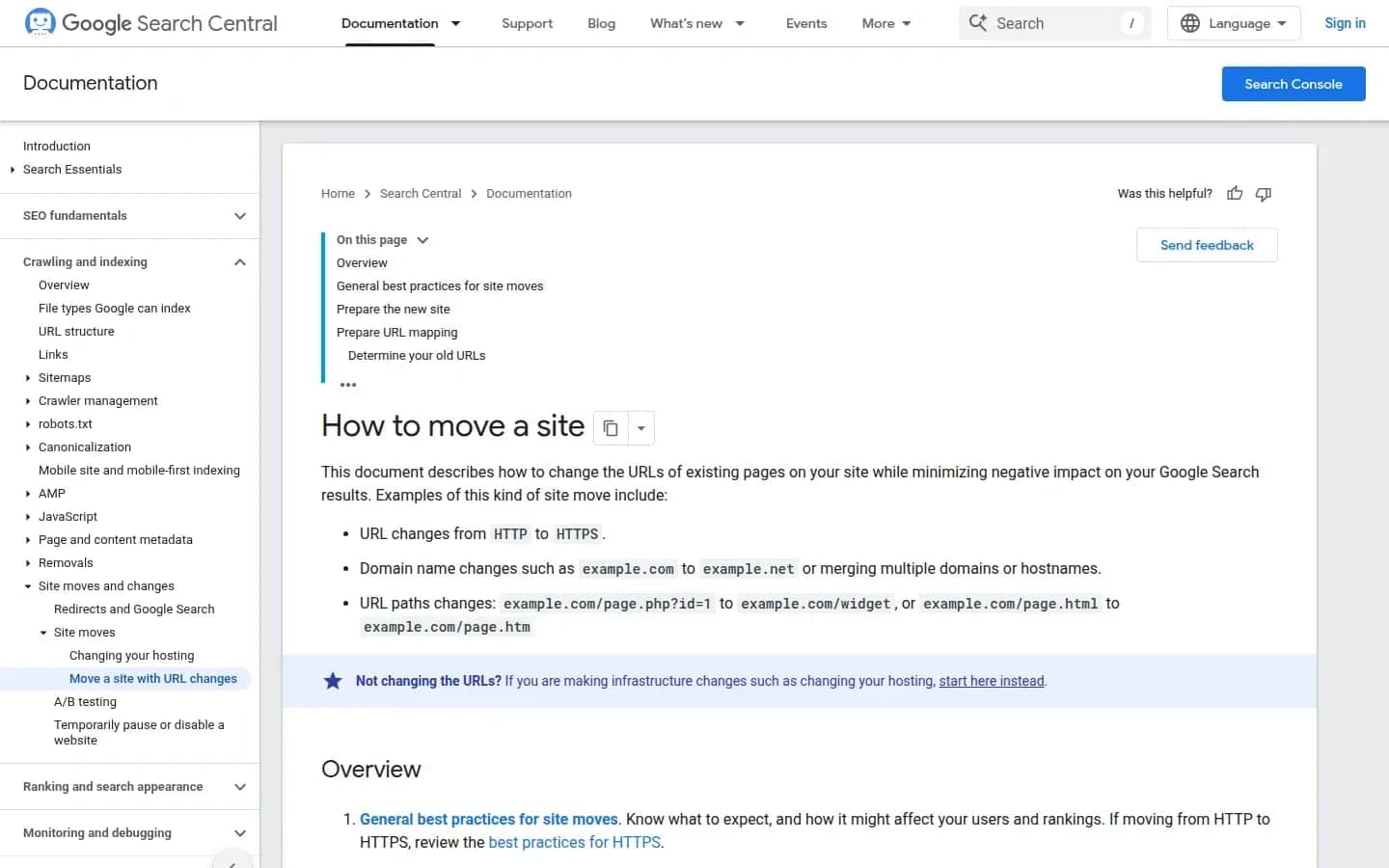
Google's guidance for site moves with URL changes
developers.google.com/search/docs/crawling-indexing/site-move-with-url-changes, screenshot of 30.09.2026
Online store migration plan in seven steps
Store migration — a seven-step plan
Digital Vantage, based on Google Search Central ("How to move a site") and web.dev, 30.09.2026
Order matters: first you work out what needs to move, then you move it, then you test, and only then do you switch over. Every step needs an owner — one person who sees the whole picture and signs off on moving to the next step. It doesn't have to be a developer, but it should be someone who connects the platform, marketing, customer service and SEO. Every point here is also laid out as a checklist in our store migration checklist.
1. URL inventory
Collect a full list of the old store's addresses: products (including discontinued ones, if they have traffic or links), categories, informational pages, blog posts, brand pages, and important filtered URLs. There are three sources: a crawler that walks the store like a search-engine bot, the current platform's sitemap, and Search Console plus analytics, which will show addresses with traffic and impressions — including ones no menu link points to any more. Flag the addresses that bring traffic, sales or external links: those need the most care.
This is also a good moment for tidying up, in moderation. Removing an empty category or a product that's been gone for years is fine — as long as its address still gets a redirect to the nearest sensible page.
2. Redirect map
The redirect map is a spreadsheet with two columns: old address and new address. It's the single most important document in the whole migration. Rules:
- every old address points to exactly one specific new address — product to product, category to category;
- a discontinued product with no replacement redirects to the category it was in, not to the home page;
- redirects should be permanent (301 or 308) and run server-side, not through a browser script;
- no chains: if the old store already had redirects from earlier changes, update them to point straight to the final new address.
The addresses that cause the most trouble in a migration are the automatically generated ones: product variants, pagination, filter results. Work out in advance how the new platform builds those URLs and whether it can keep the old paths. If it can, keeping the same URL structure is the simplest protection against fluctuations.
3. Exporting data: products, customers, orders
On SaaS platforms, export is the main — often the only — way to take your data with you. Vendors describe it in their documentation, but the scope varies by platform. Per help pages read on 30 September 2026:
- Shopify: exporting customers, orders and products to CSV is documented in the help centre (customers, orders, products).
- Wix: product export to CSV up to 5,000 rows, excluding digital products (Wix help), order export to CSV, and contacts up to 50,000 at a time.
- Squarespace: products up to 10,000 (Squarespace help), order export to CSV "available on all plans," and customers as a CSV file.
- BigCommerce: orders and customers in CSV or XML, products in CSV (BigCommerce help on orders and customers); per its pricing page, a trial store that isn't upgraded is kept for 90 days, then deleted.
Two practical consequences. First, a CSV file is data, not a store: the theme, payment and shipping configuration, discount rules, apps and redirects all have to be rebuilt by hand. Second, exporting from the old platform is only half the job — the other half is importing into the new one. Columns rarely line up, so before the real migration, run a trial export and import on a few dozen records, including product variants and images.
Check the exit terms of a SaaS platform before you commit to it, not after — we cover why that's part of evaluating any cloud service in our article on cloud data security, and more generally about the subscription model in our guide to SaaS.
Moving to PrestaShop. PrestaShop is open-source software: the store can run on your own server, or on PrestaShop Hosted, which costs, per the vendor's pricing page, €29/month excl. VAT billed monthly, or €24/month billed annually (read 30.09.2026; prices change). Of the Hosted version, the vendor writes: "you're free to recover all your ecommerce data if you want to stop your subscription." The main work is mapping your exported columns to PrestaShop's import format and rebuilding your category structure so the redirect map has somewhere to point.
Moving to Shopify. Shopify lets you try an import before you pay: per the Ireland pricing page (read 30.09.2026), the trial is 3 days, then €1/month for 3 months. The Basic plan costs €32/month billed monthly or €24/month billed annually; the page doesn't state whether these are VAT-inclusive. Check payment costs before you decide: if you stay with your own arrangement with an external gateway, Shopify adds a third-party transaction fee — 2% on Basic, 1% on Grow, 0.6% on Advanced and 0.2% on Plus — on top of the gateway's own fee. This doesn't apply to manual methods such as cash on delivery. The alternative is Shopify Payments.
4. Content and metadata
Product and category descriptions, page titles, meta descriptions, headings, image alt text, product structured data, blog posts. These are what make the page under the new address "the same page" — rather than a new one Google has to evaluate from scratch. Compare the content export from the old and new store field by field, on a sample of your highest-traffic products. A common problem: the new theme generates titles and descriptions to its own pattern and overwrites ones someone spent years refining.
One rule matters more than the rest here: don't change everything at once. A new platform, a new category structure, new copy and a new look, all on the same day, are four changes whose effects you'll never be able to separate afterwards. Move the store as faithfully as possible first, and plan a content and design overhaul for once traffic has settled.
5. A staging environment
The new store gets built on a copy of your data, in a staging environment blocked from indexing — behind a password, or an access restriction. A test copy that's visible to Google is a duplicate of your store at another address. The same goes after the migration: don't leave a publicly accessible old version "just in case" on a subdomain — keep a full copy of the data and files, not a second live store.
6. Testing before the switch
On the staging environment, check:
- redirects — the whole map, automatically: does every old address respond with a 301 or 308, redirect straight to the right new address, and are there no loops or 404s;
- the buying flow — for every payment method and every delivery option: a test order, a confirmation email, an invoice, a return;
- analytics — do add-to-cart, checkout-started and purchase events fire correctly, and are payments returning from the gateway recorded properly;
- integrations — warehouse, ERP, marketplace, carriers;
- performance — Core Web Vitals on the key templates: home page, category, product, cart (more below).
7. Launch day
Pick a day with lower traffic and no promotional campaigns running. Pause catalogue changes briefly so the last export is complete, carry over orders placed in the last few hours, turn on the redirects, switch the domain, and immediately check a sample of old addresses and a test order live. Submit the new sitemap in Search Console the same day. Update paid campaigns to point at the new addresses directly rather than relying on redirects.
Customer data and accounts after migration
Customer accounts are the most underrated part of a migration. Two things need settling with both vendors — old and new — before you set a switch-over date.
Passwords. The export documentation referenced above covers customer data, but doesn't promise passwords will carry over. Ask the old vendor whether, and in what form, passwords can be exported, and the new one whether it can accept them. If either answer is "no," plan your communication: an email to customers about the new store with instructions for setting a password, sent on switch-over day, plus a clear message on the login page.
Consents and history. A customer is more than an email address. Check whether the export includes marketing-consent data (with a date and source, if the old platform records it), order history needed for handling complaints and returns, and delivery addresses. Only carry over newsletter consents if you have a record of them — and check how to handle the transfer of personal data with whoever in your business owns data protection. Remember too that a customer export is a file of personal data: store and send it the way you would any other customer database, and delete working copies once the migration is done.
Orders. Just because the old platform exports orders to CSV doesn't mean the new one will import them as full history. Sometimes an off-platform archive is enough; sometimes history needs to be visible on the customer's account. Settle this early, because it decides the scope of the work.
Performance and Core Web Vitals after migration
A new platform and a new theme change the speed of a store — for better or worse. So measure Core Web Vitals before migrating, on the same page types you'll measure afterwards. Without a baseline, you can't tell whether the move actually helped.
If you've got old audit notes, one thing in them is out of date. FID (First Input Delay) is no longer part of Core Web Vitals. The web.dev team announced: "INP will officially become a Core Web Vital and replace FID on March 12 of this year" — referring to 12 March 2024. INP (Interaction to Next Paint) measures how fast a page responds to user actions — clicks, taps, keystrokes.
Thresholds per web.dev: "An INP below or at 200 milliseconds means a page has good responsiveness"; 200–500ms needs improvement, above 500ms is poor. During a migration, pay particular attention to third-party scripts — chat widgets, reviews, recommendations, ad pixels — and to category filters. Every carried-over app is more code running in the customer's browser, so check which ones you still need.
What to measure before and after: LCP, INP and CLS for the home page, category, product page and cart, separately on mobile and desktop, in Search Console and in PageSpeed Insights. Field data from real visits accumulates with a lag, so you'll only see the full picture a few weeks after migration. More on technical store SEO is in our ecommerce SEO overview, and cart and order elements worth checking at the same time are in our store UX checklist.
The first 90 days after migration: what to monitor
Migration doesn't end on switch-over day. For the first three months, you're watching whether Google and customers find their way to the new addresses.
First week. Check 404 errors daily — in Search Console and in server logs or the platform panel. Any old address that returns a 404 but has traffic or links gets added to the redirect map. Check that orders are coming through, payments are settling, and emails are arriving. Compare conversion with the same period before the migration.
First month. In Search Console, track the indexing status of new addresses and old ones dropping out of results. Compare organic traffic and impressions with the period before the move — remembering that, per Google, fluctuations over a few weeks or more are normal. Ask the owners of your most important external links — partners, directories, comparison sites — to update their addresses. The redirect works, but a direct link is more reliable.
Second and third month. Once traffic has settled, start the changes you postponed: content, design, structure. Introduce each one separately so you can see its effect. Compare Core Web Vitals against the pre-migration measurement.
Through the whole year and beyond. Don't remove the redirects. Google recommends keeping them "generally at least 1 year," and in practice for as long as the store runs. If you ever change server or platform again, this migration's redirect map is part of the store that needs to move forward with it.
If the new store runs as SaaS, availability and incident-response time are set by your vendor agreement — check what it actually promises before you rely on it.
Migrating to headless
A separate case is moving to a headless architecture: the storefront becomes a separate application, and the engine (SaaS or open source) supplies products, cart and orders over an API. Every rule in this article — the redirect map, export and import testing, staging, monitoring — applies the same way. What's added is that URLs, metadata and structured data are now generated by your own front end rather than inherited from a platform theme, so you have to design them rather than take them as given. When that move pays off, and when a classic store is enough, is covered in our article headless commerce. We build stores in this model ourselves — details are on our headless store offer page.
All our articles on choosing and changing platforms are in the ecommerce platforms overview.
FAQ
Frequently asked questions about online store migration
It can, at least temporarily. In its documentation on site moves with URL changes, Google says you may see ranking fluctuations while the engine recrawls and reindexes your site, and for a medium-sized site that can take a few weeks or more. A good migration — a complete permanent-redirect map, carried-over content and metadata, a new sitemap in Search Console — shortens that period and reduces its size, but nobody can honestly guarantee there'll be no drop at all.
Google recommends keeping redirects for as long as possible, generally at least a year. A year is a floor, not a removal date — links to your products in old articles, on forums and in customers' bookmarks keep working longer than that. The safest approach is to treat the redirect map as a permanent part of the store and carry it forward through every later platform or server change.
Usually, yes, to some extent: Shopify, Wix, Squarespace and BigCommerce all document exporting customers, orders and products in their help centres. Other platforms may offer a narrower or unconfirmed scope, so ask the vendor directly. Export is only half the job, though — check whether the new platform will accept order history and customer passwords. If passwords can't be carried over, plan an email with instructions for setting a new one.
It depends on scope, which is why it's worth calculating rather than quoting one number. List the addresses to redirect, the types of data to move (products with variants, customers, orders, consents), the integrations to rebuild, and the payment and shipping methods to test — each is its own task across seven steps: inventory, redirect map, export, content, staging, testing and switch-over. Add at least three months of monitoring after launch on top of that.
Google lists both as permanent redirects and recommends using server-side redirects of that kind. For a store migration, what matters more than choosing between 301 and 308 is that the redirect is permanent, points straight to the correct new address with no chains or loops, and stays in place for at least a year. Use whichever code your platform or server supports.
Planning a change of platform for your store?
We'll help you build a redirect map, check data export and import, and plan the switch-over so your store keeps taking orders the whole time.
Related Posts
- E-commerce platform — models, how to choose one and a guide to online store platforms
E-commerce platform: SaaS, open source or headless, five selection criteria, payment-method fees, data export and a guide to the section's articles.
- 1.Ecommerce Website Cost: Subscriptions, Fees, Setup and Monthly Costs of an Online Store
Ecommerce website cost in practice: Shopify, PrestaShop and Ecwid subscriptions, payment fees, and how to work out your own monthly TCO.
- 2.B2B ecommerce platform — what it is, how it differs from B2C and how to roll it out
A B2B ecommerce platform means per-customer pricing, credit limits, ERP integration, SaaS vs open source, EU e-invoicing (ViDA, Peppol) and a rollout plan.
- 3.Headless commerce — when a headless store makes sense, and when a classic one is enough
Headless commerce without the hype: how it differs from a classic store, Shopify Hydrogen, Medusa JS and Shopware pricing, costs, SEO, and when to skip it.
- 4.E-commerce Platform Comparison — Shopify, WooCommerce, PrestaShop, Shopware and More, by Price List and Exit Terms
Ecommerce platform comparison: Shopify, WooCommerce, PrestaShop, Shopware and more — model, EUR price, sales fees and data export, as of September 2026.
- 5.How to Start an Online Store and Create an Ecommerce Website — Product, Registration, Platform and Legal Duties
How to create an ecommerce website and start an online store: demand test, EU VAT thresholds, platform choice, legal duties and payments.
- 6.Free Ecommerce Website Creator — What's Actually Free, and What Always Costs Money
Ecommerce website creator on a free plan: what's really free in Shopify, Wix, Square Online and WooCommerce in 2026, and when it stops paying off.
- 1.
About the Team
Digital Vantage Team
Your Partner in Business, Digital Vantage Team
Digital Vantage team is a group of experienced professionals combining expertise in web development, software engineering, DevOps, UX/UI design and digital marketing. Together we carry out projects from concept to implementation - websites, e-commerce stores, dedicated applications and digital strategies. Our team combines years of experience from technology corporations with the flexibility and immediacy of working in a smaller, close-knit structure. We work in agile methodologies, focus on transparent communication and treat each project as if it were our own business. The strength of the team is the diversity of perspectives - from systems architecture and infrastructure, frontend and design, to SEO and content marketing strategy. As a result, the client receives a cohesive solution where technology, aesthetics and business goals go hand in hand.