E-commerceOnline ShopsSEO and Website OptimizationTechnical OptimizationAnalytics Tools15 min czas czytania18 247 znaków2904 słowa
Google Merchant Center: What It Is and How to Set It Up
Google Merchant Center: site verification, product data, shipping and landing page rules, disapproval reasons, and Shopify and WooCommerce integrations.

Redakcja Digital VantageYour Partner in Business, Digital Vantage Team · Digital Vantage team is a group of experienced professionals combining expertise in web development, software engineering, DevOps, UX/UI design and digital marketing. Together we carry out projects from concept to implementation - websites, e-commerce stores, dedicated applications and digital strategies.
Our team combines years of experience from technology corporations with the flexibility and immediacy of working in a smaller, close-knit structure. We work in agile methodologies, focus on transparent communication and treat each project as if it were our own business.
The strength of the team is the diversity of perspectives - from systems architecture and infrastructure, frontend and design, to SEO and content marketing strategy. As a result, the client receives a cohesive solution where technology, aesthetics and business goals go hand in hand.
Publikacja
Aktualizacja
A store can get its products into Google's product results without spending anything on ads — provided it sets up one free tool first. Google Merchant Center is the free tool that lets a store submit its product data so it can appear in Google Search, Maps, Google Images, Lens, YouTube and the Shopping tab. Merchant Center Help describes the tool as giving merchants "multiple options to control how and where your products appear on Google." Free product listings are available in most EU member states, including Germany, France, Ireland and the Netherlands, so an EU-based store selling into those markets has access without any advertising spend at all.
The real barrier isn't financial. It's a sequence of requirements that have to be met in order: confirming you own the site, submitting product data in the right format, matching your landing page to what you declare in that data, and not breaking the rules for specific product categories. This article walks through those requirements step by step, based on Google Merchant Center Help and Search Central documentation read on 1 October 2026.
What Google Merchant Center is: free listings vs. paid ads
Merchant Center distinguishes two kinds of products in an account: managed products — ones you've submitted yourself, manually or automatically — and unmanaged products, which Google finds by crawling your site. Every product in an account has a shelf life: all products expire from a Merchant Center account 30 days after their last refresh, so data needs regular updates, not a one-time upload.
From the account, two different paths lead to the shopper:
- Free product listings. According to Merchant Center Help, with a free listing the products you sell "can appear at no cost on Google Search, Google Maps, Gemini, YouTube, the Shopping tab, Google Images, and Google Lens." This is genuinely free traffic, with no ad spend behind it — and it runs alongside paid product ads, because "Shopping ads will continue to appear in ad slots on the Shopping tab."
- Product ads. These are billed differently from ordinary search ads: "Shopping ads use your existing Merchant Center product data (not keywords) to decide how and where to show your ads." In a standard Shopping campaign you pay per click (CPC): "You're charged only when someone clicks an ad that leads to the landing page on your website." Product campaigns today mostly run through Performance Max, where billing works differently: "You'll only pay for the performance of your campaigns (for example, clicks or CPM)." So "Shopping ads" is best understood not as a separate, standalone product, but as product ads fuelled by Merchant Center data — today mostly delivered through Performance Max.
From a budget standpoint: the Merchant Center account itself and free product listings cost nothing. A cost only appears if you also run paid product ads — and that's a marketing-budget line, not a technical necessity. If you're pricing out the full cost of running a store including marketing, add that budget to our ecommerce cost calculator, or see the other cost components in what does an online store cost.
How a product gets from your store to Google
Own diagram based on Google Merchant Center Help and Google Ads Help, read 1 October 2026
Registering and verifying your site, step by step
Before you submit your first product, Merchant Center has to know the site is yours. This is two separate steps that are easy to confuse:
- Verification. "When you verify your website, you let Google know that you're the website owner." Methods include a code sent to an email address associated with your site, your e-commerce platform, an HTML tag or file added to the site, Google Tag Manager, or Google Analytics.
- Claiming. A separate step, in which "you create a link between your website address and Merchant Center account." Without it, your product data won't be tied to your domain, even if the site is already verified.
One restriction worth knowing before you start: "a single URL can only be claimed by one account." If someone else — an agency, a previous developer, another department — already claimed your domain from a different account, you'll need to resolve that before you take over. The exception is using a Multi-Client Account, where the account structure works differently.
If you sell into more than one country, shipping settings are configured separately for each one — shipping rules are defined per country (more on this below).
Product data: a data feed vs. structured data
Search Central's guide "Share your product data with Google" describes two routes:
- Structured data on product pages. Add structured data to your product pages, and Google finds your products by crawling the site and reading
schema.orgmarkup. This isn't required to appear in regular Search results, but it helps Google understand your pages. - A data feed in Merchant Center. Tell Google directly which products you want shown by submitting a feed. The advantages Google lists: more confidence that Google knows about all of your products (crawling isn't guaranteed to find everything), more control over the timing of updates (feeds can refresh weekly, daily or hourly), and the ability to share data that isn't on your site at all.
These two routes aren't equal once both are active: a product managed through a submitted feed stops being updated based on site crawling — the feed takes priority. If you connect your account to your store's platform, product information such as "images, prices, and descriptions" updates in Merchant Center automatically, but Google notes that changes "may take 24-48 hours to reflect" there (specific integrations can behave differently — see platform integrations below). That matters around price changes and promotions: change a price on your site and Merchant Center may not catch up for up to two days, and the price on your landing page has to match the price in your product data regardless (more on this below).
Submitting data to Merchant Center isn't required to appear in regular Google Search results — structured data covers that — but participation in Merchant Center is required for listings on the Shopping tab. If you only want richer organic search results, structured data alone may be enough; if you want to appear on the Shopping tab and in product ads, a Merchant Center account is required.
The title and description attributes in your feed have fixed character limits — a maximum of 150 characters for the title and 5,000 for the description — and from 31 January 2027, Google will also start enforcing a minimum product image size of 500×500 pixels. How to write titles, descriptions and choose images that satisfy these limits while still selling is covered separately in our product description SEO article, which also explains the GTIN requirement and when you can skip it.
Shipping, returns and landing page requirements
Google describes three separate groups of requirements outside the product catalogue itself.
Shipping cost. Merchant Center requires consistency with what the customer sees on your site: "the shipping costs you submit to Merchant Center should be as close as possible to what's on your website. Overestimate the figures you submit if you can't match the costs closely" — in other words, when in doubt, quote a higher cost than the real one, never a lower one. "You may configure up to 20 shipping policies per country."
Policy transparency. Google's requirement reads: "be clear and provide detailed information about your policies including shipping, returns and privacy policies."
Landing page. This requirement applies not to the feed but to the product page itself, the one the feed links to. The page has to show the product's key elements: "title, description, image, price, currency, availability, and a buy button." The link in your feed "should direct to a specific product detail page, not a category, search, or other generic page." The price "should be easy to view, and should match your product data." The layout can't hide these elements: "a pop-up or download banner shouldn't cover important information for your customers." The language and currency shown on the page have to match the submitted product data, in every country you target.
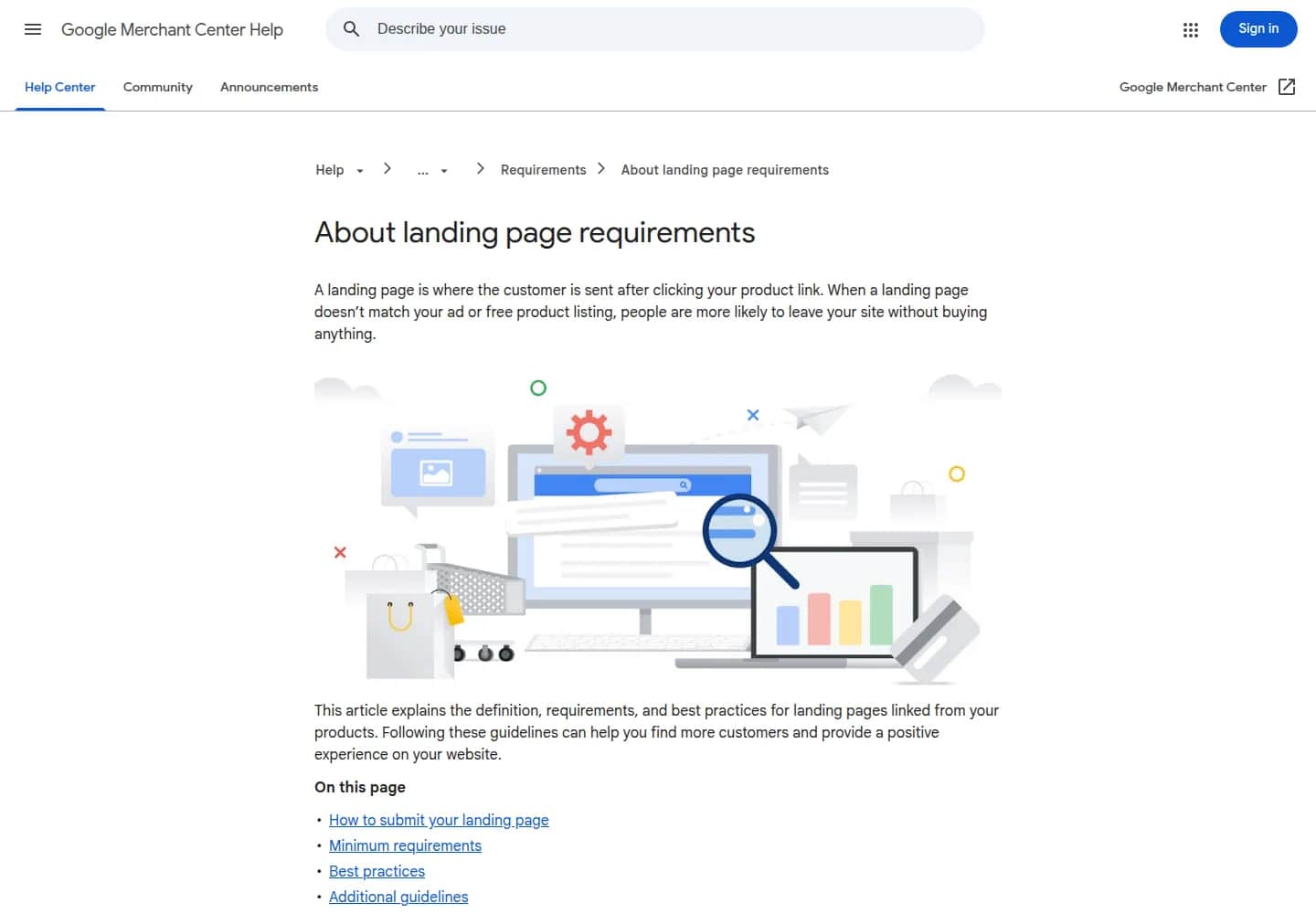
Merchant Center Help's landing page requirements page
support.google.com/merchants/answer/4752265?hl=en, screenshot taken 1 October 2026
Merchant Center policy and common disapproval reasons
Responsibility for compliance sits with you. Google's Shopping ads and listings policies put it plainly: "Google requires that merchants comply with all applicable laws and regulations and the Google policies described above."
Two groups of categories need particular attention:
- Prohibited — counterfeit and dangerous products, products that enable dishonest behaviour (such as falsified documents), inappropriate content, and "unsupported Shopping content": among others ticket sales, most road vehicles (compliant e-bikes are an exception), financial products, ebooks, currency, open-loop gift cards, most services, real estate and some recurring-billing products.
- Restricted (allowed only within limits that depend on the category and the country) — sexual content, alcohol, gambling-related content, healthcare and medicines, political content.
If an account breaks a policy, Google doesn't suspend it immediately: "violations of this policy will not lead to immediate account suspension without prior warning. A warning will be issued at least 7 days prior to any suspension of your account." Those 7 days are real time to fix the issue — but only if you check account notifications regularly, rather than waiting until products stop showing up.
The requirements above also explain the recurring, single-product problems most stores run into — this isn't a ranked list from a study, just the mechanism that follows from the policies quoted above: a price in the feed that doesn't match the landing page, a link pointing to a category page instead of a specific product, a shipping cost in the feed that doesn't match what the customer sees on-site, a missing GTIN on a product that has one (Google notes this limits visibility), and, from 31 January 2027, an image smaller than 500×500 pixels.
Platform integrations: Shopify and WooCommerce
How easily you keep your data compliant over time depends on whether your platform has a ready-made integration that updates the feed automatically, or whether you're doing it by hand.
- Shopify has an official "Google & YouTube" app (developer: Google LLC) that lets you "sync your products, deals, and shipping to Merchant Center" and run Performance Max ads "across properties like Search and YouTube." The app is free to install, but "additional charges may apply": "When you run a campaign, the ad spend is billed directly to your Google Ads account."
- WooCommerce has the "Google for WooCommerce" plugin, which is free and syncs your product feed to Merchant Center automatically, so that prices, promotions, inventory and other product details stay in step with your listings. Documented technical requirements: PHP 7.4 or newer, WordPress 6.9 or newer, WooCommerce 10.8 or newer. For Performance Max campaigns run through the plugin, its page says "you only pay when someone clicks on your ads."
Documentation for PrestaShop's own Google Shopping module was not reachable in this research: addons.prestashop.com returned an access error on every automated fetch attempt. If you run PrestaShop, check the module directly in your admin panel or in PrestaShop's own help centre rather than taking its feed-sync behaviour as confirmed here.
How these integrations fit into a full comparison of platform costs and features is covered in our comparison of e-commerce platforms; an overview of every article in this section is in our platforms hub.
Merchant Center Next: the migration and the renaming are both done
If you run into a guide online that distinguishes "classic Merchant Center" from "Merchant Center Next," it's out of date. Google's announcement of 1 October 2024 already stated: "All merchants have now been migrated to Merchant Center Next." In July 2026 Google went a step further and started dropping the name itself: "You'll begin to notice the 'Next' branding removed from our Help Center articles, email communications, and the Merchant Center interface." Google is explicit that this is a naming change only and that "no action is required": "Your account, product data, and campaigns remain completely unaffected. All the features you currently use will continue to work exactly as they do today."
The practical takeaway: there's no longer a meaningful distinction to learn between versions — write and talk about "Merchant Center," without the "Next" suffix, because it isn't a separately named product any more.
What's worth measuring after setup
On the search side, Search Console's Shopping-related reporting covers two things worth knowing:
- Product snippets and merchant listings. Product snippets can show up as regular web search results with visual elements such as product ratings and prices, and merchant listings are a richer extension of the same thing, which also always includes a price — sometimes appearing in a carousel of similar products.
- The "Shipping and returns" setting under Settings → Shopping, where you can manage shipping and return settings in Search Console itself. It's available only to owners and full users of the property, and if you have a Merchant Center account, you first need to link it to your Search Console property.
Merchant Center diagnostics — product statuses, disapproval reasons, policy warnings — are also one of the steps in a full e-commerce SEO audit, alongside your indexing report and Core Web Vitals report. If you're starting from the basics — whether Google is even correctly seeing and indexing your store in the first place — that sequence of steps is covered separately in our ecommerce SEO ranking article. A full overview of this section, together with its other articles, is in our ecommerce SEO hub, and the wider e-commerce section is covered in our ecommerce hub.
Sources
Google Merchant Center Help — what Merchant Center is
Google Merchant Center Help — free product listings, eligible countries
Google Merchant Center Help — website verification and claiming
Google Search Central — sharing your product data with Google
Google Merchant Center Help — ways to add products: platform sync, data feeds and crawling
Google Merchant Center Help — shipping settings
Google Merchant Center Help — build customer trust (shipping, returns, privacy transparency)
Google Merchant Center Help — landing page requirements
Google Merchant Center Help — product data specification, title/description/image requirements
Google Merchant Center Help — Shopping ads and listings policies
Google Merchant Center Help — unsupported Shopping content and the suspension warning
Google Search Console Help — Shopping reports and the "Shipping and returns" setting
Google Merchant Center Help — Merchant Center Next migration and renaming
Google Ads Help — about Shopping ads and how they are billed
Shopify App Store — Google & YouTube
WooCommerce — Google for WooCommerce
FAQ
Frequently asked questions about Google Merchant Center
The account itself and free product listings — in Search, Maps, Gemini, Google Images, Lens, YouTube and the Shopping tab — cost nothing. A cost only appears if you also run paid product ads, billed through Google Ads either on a cost-per-click basis or through Performance Max for performance.
These are two separate steps. Verification confirms the site is yours — via a code sent to an email address associated with your site, your e-commerce platform, an HTML file or tag, Google Tag Manager, or Google Analytics. Claiming creates the link between your website address and your Merchant Center account. A single URL can only be claimed by one account, with an exception for Multi-Client Accounts.
Structured data on product pages lets Google find your products on its own by crawling your site. A data feed submitted to Merchant Center gives more control and more confidence that Google knows about every product — and it takes priority: a product managed by a feed is no longer updated based on site crawling. Connecting your account to your store platform syncs data automatically, though Google notes that changes may take 24–48 hours to show up in Merchant Center.
An account isn't suspended immediately. Google sends a warning at least 7 days before any suspension, giving you time to fix the issue. The recurring, single-product problems that come up follow directly from a mismatch between the feed and the site: a different price in the feed than on the landing page, a link to a category page instead of a specific product, or a shipping cost that doesn't match the site; from 31 January 2027, a minimum product image size of 500×500 pixels will also be enforced.
No — it's a closed chapter. Google completed the migration of all merchants to Merchant Center Next in October 2024, and has since dropped the "Next" label from its Help Center, emails and interface, stating plainly that this is a naming change only, with no effect on any account, product data or campaign. Today it's simply "Merchant Center."
Want your store listed in Google's free product listings?
We'll help you set up and keep your Merchant Center account compliant with your store — site verification, product data and platform integration — without manually fixing your feed after every disapproval.
Related Posts
- Ecommerce SEO — the three layers that build visibility in Google
Ecommerce SEO in three layers: technical, product content and Merchant Center data. What makes a shop different from a regular site, and where to start.
- 1.Ecommerce SEO Audit: What to Check and in What Order
An ecommerce SEO audit runs mostly on free Google reports: indexing, Core Web Vitals, rich results, duplicates and Merchant Center data.
- 2.Core Web Vitals for Ecommerce: LCP, INP and CLS Thresholds by Platform
Core Web Vitals for ecommerce: LCP, INP and CLS thresholds, their ranking weight, field vs. lab data, and the platform gap from the 2025 Web Almanac.
- 3.Product Description SEO: How to Write Product Content That Meets Google and Merchant Center Requirements
Product description SEO: what Google expects, Merchant Center title/description limits, the 500×500 px image rule, GTIN and the duplicate content myth.
- 4.Ecommerce SEO Ranking: What Google's Own Documentation Says
Ecommerce SEO ranking: URL structure, facets, duplicates and internal linking on Shopify, WooCommerce and PrestaShop — without the Google-penalty myths.
- 1.
About the Team
Digital Vantage Team
Your Partner in Business, Digital Vantage Team
Digital Vantage team is a group of experienced professionals combining expertise in web development, software engineering, DevOps, UX/UI design and digital marketing. Together we carry out projects from concept to implementation - websites, e-commerce stores, dedicated applications and digital strategies. Our team combines years of experience from technology corporations with the flexibility and immediacy of working in a smaller, close-knit structure. We work in agile methodologies, focus on transparent communication and treat each project as if it were our own business. The strength of the team is the diversity of perspectives - from systems architecture and infrastructure, frontend and design, to SEO and content marketing strategy. As a result, the client receives a cohesive solution where technology, aesthetics and business goals go hand in hand.