UX/UI designWebsitesSoftware DevelopmentBusiness toolsCompanyTechnology for businesses11 min czas czytania16 191 znaków2187 słów
What is a wireframe and why every company needs one
What is a website wireframe and why should you prepare one? Find out how a wireframe helps you plan UX, reduce costs and avoid mistakes.
Redakcja Digital VantageYour Partner in Business, Digital Vantage Team · Digital Vantage team is a group of experienced professionals combining expertise in web development, software engineering, DevOps, UX/UI design and digital marketing. Together we carry out projects from concept to implementation - websites, e-commerce stores, dedicated applications and digital strategies.
Our team combines years of experience from technology corporations with the flexibility and immediacy of working in a smaller, close-knit structure. We work in agile methodologies, focus on transparent communication and treat each project as if it were our own business.
The strength of the team is the diversity of perspectives - from systems architecture and infrastructure, frontend and design, to SEO and content marketing strategy. As a result, the client receives a cohesive solution where technology, aesthetics and business goals go hand in hand.
Publikacja
Aktualizacja
What do you find in the article?
- What is a wireframe? - Learn exactly what wireframe means in the business world and why it is a key component of any well-designed website.
- Wireframe, mockup and prototype - what are the differences? - You will learn when it is best to use each of these tools, which will help you avoid costly mistakes in the design process.
- Types of wireframes - Discover the difference between low-fidelity, high-fidelity and responsive wireframes, and where they are best applied in business practice.
- Checklist for wireframe evaluation - Get practical questions to ask the designer to identify potential problems before approving the project.
- How wireframes affect conversions and costs - Find out how a well-designed wireframe can increase sales while reducing the cost of changes during site development.
What is a wireframe and why every company needs one
Have you ever wondered how important the first impression is? Statistics show that as many as 88% of users do not return to a site if their first experience was negative. Every business owner dreams of a site that attracts customers on its own, but it often happens that the reality is far from this vision, and the difference can cost tens of thousands of zlotys.
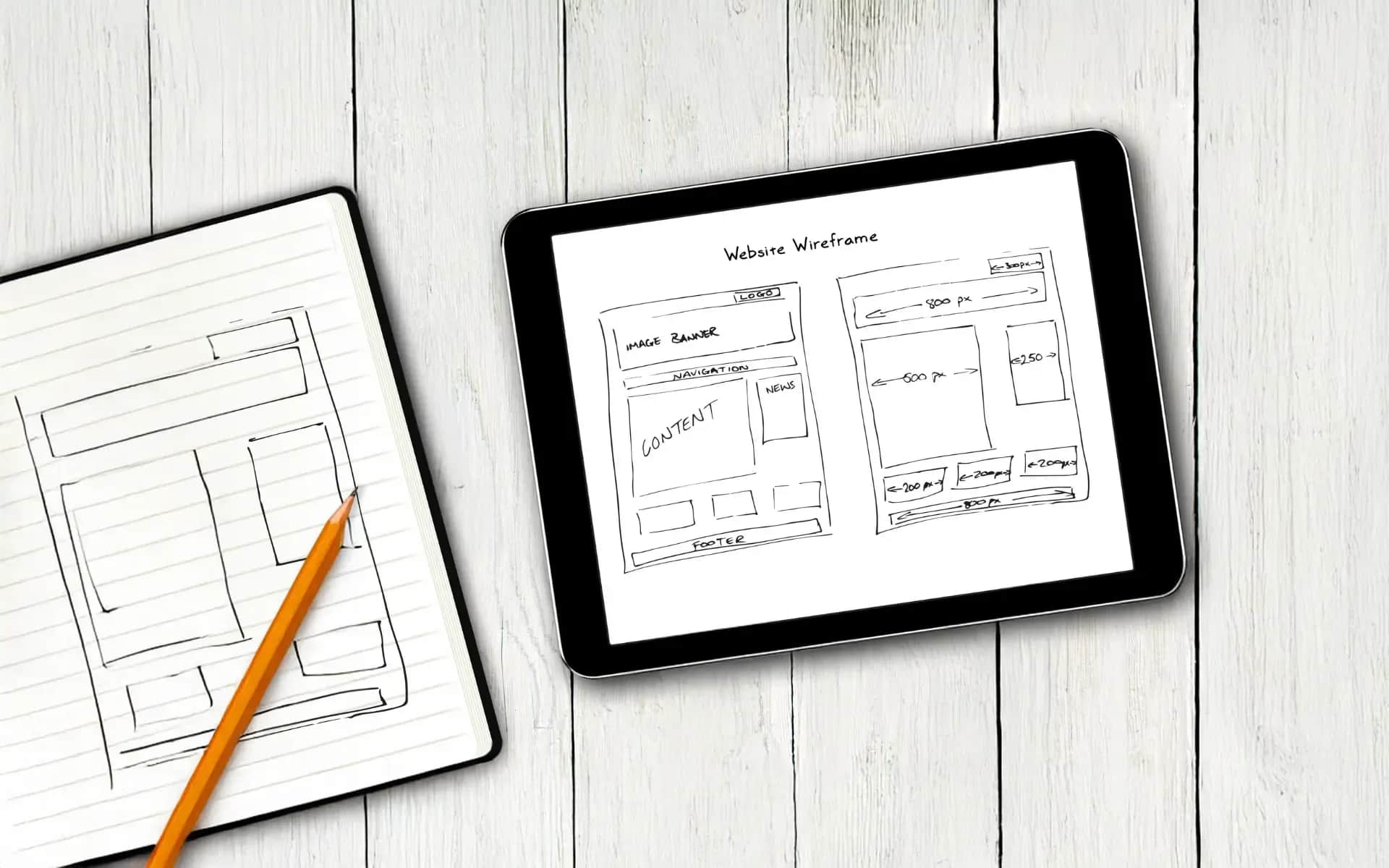
Wireframe is nothing more than a sketch of your future website. It's a simple plan that shows where the most important elements will be,content and functions. This can be compared to an architectural plan of a building - before you decide on the color of the walls or the type of floors.
In a business context, a wireframe acts as a map that guides users through your site, indicating where to place key elements such as contact forms, "Buy Now" buttons or product information.
Wireframe is the backbone of any successful site that actually delivers business benefits. Without it, you operate blindly, relying on the designer's luck and intuition. With a wireframe, you are assured that every element has its place and purpose.
Design mistakes can be costly. Redesigning a site after completion can consume 20 to 50% of the original budget. Worse if you lose potential customers during that time. One of my clients lost three months of sales because a contact form was hidden behind three clicks.
With wireframes, the entrepreneur gains control over the project, clear communication with the contractor, and confidence that the site will support itssales targets. It's an investment that already pays for itself in avoiding the first expensive rework.
In this article, I'll show you how to analyze wireframes, assess their quality and use them to create a site that really sells.
Wireframe vs. other elements of the design process
In the IT industry, one can often come across specialized jargon that can be confusing for entrepreneurs. Terms like wireframe, mockup or prototype sound similar, but they hide different tools. Understanding these differences can save you from unnecessary stress and expense.
Wireframe vs. mockup: when to use each?
A wireframe is like a sketch - it shows where the elements will be, but without visual details like colors or fonts. It's a bit like an apartment floor plan: you know where the kitchen is, but you don't know the color of the tiles yet.
Mockup adds a visual layer. It's like the same floor plan of an apartment, but already with wall colors and furnishings. You can see what the site will look like, although it's not interactive yet.
A prototype is a functional version of a design - you can click around and see how everything works. It's like a model of an apartment that you can walk around and see if the door actually opens.
When is it a good idea to use each of these tools? Wireframe is ideal for the beginning, when you're setting up the basic structure and functionality. Mockup is useful when you want to see what the final colors and graphics will look like. Prototype, on the other hand, is invaluable for testing whether users understand the navigation.
A typical mistake is to start with a mockup without a wireframe - it's like painting the walls before you put up the foundation. Another mistake is skipping prototyping, which can result in discovering usability problems only after implementation.
What place does wireframe have in web design?
Wireframe comes at the very beginning, right after analyzing the business requirements. This is the moment when you know what you want to achieve, but you don't yet know how to organize it on the site.
Working with an interactive agency, the wireframe becomes your first chance to really control the project. At this stage, you can still easily move elements, change the menu structure or reorganize content, and the cost of such changes is practically zero.
A good wireframe can be the key to success in the next phases of a project. A graphic designer knows where to place the logo and how to plan the product gallery. A programmer will understand what functionality he needs to prepare and how to connect the different sections.
Without a wireframe, each subsequent step is like guesswork. The graphic designer designs by feel, and the programmer implements based on vague descriptions. The result? Iterations, revisions and over budget.
Entrepreneurs who understand the value of wireframing treat this stage as an investment in peace of mind during the later phases of the project.
What wireframes work best for business?
Wireframes are not always the same. Choosing the right type can significantly affect the speed of your project and the quality of communication within your team. Here's a practical breakdown to help you choose the right option.
How and when to use low-fidelity wireframes in projects?
This is the most basic form - we use gray rectangles, simple shapes and "lorem ipsum" instead of real content. Although they look crude, this is where their greatest strength lies.
These sketches work great at the beginning of a project when we are testing different layout concepts. We can create 3-4 variations within an hour and quickly decide which direction makes the most business sense.
The biggest advantage? No one gets distracted by colors or fonts. Both the client and the designer can focus on what's really important - the structure of the information and the logic of navigation. It's also the fastest way to validate ideas with the sales or marketing team.
To create such simple wireframes, tools such as Balsamiq, or even a piece of paper and a pen, will suffice. One of my clients created a perfect sketch of a contact form on a napkin during a business lunch.
How do high-fidelity wireframes affect the precision of designs?
Detailed wireframes include real content, accurate dimensions and precise placement of elements. It's a time investment, but sometimes a necessary one.
When is it worth using them? When working on complex functionalities such as online stores, B2B portals or web applications. A detailed wireframe eliminates developers' guesswork and helps avoid costly misunderstandings.
It is worth investing in accurate designs if the budget exceeds 50K or if the site has unusual functionality. In such a case, a high-fidelity wireframe becomes the technical documentation that accurately guides developers.
Communication with the development team becomes more precise. Instead of "give a form here somewhere," we have "form 320px wide, 40px margin from the top, three fields in vertical layout."
How to create responsive wireframes for different devices?
More than 60% of web traffic comes from mobile devices. Designing only a desktop version is a recipe for problems.
The responsive wireframe shows how the site behaves on different screens. On a phone we have a hamburger menu, on a tablet a three-column layout, and on a desktop a full navigation. Each version requires some thought.
Key breakthrough points? 320px (small phone), 768px (tablet vertical), 1024px (tablet horizontal) and 1200px+ (desktop). But more important than the pixels themselves is understanding how the user behaves on each of these devices.
On a phone, the user searches for a number and wants to make a quick call. On a tablet, he browses the offer and compares products. On a desktop, he analyzes details and makes purchasing decisions. A good responsive wireframe takes into account these differences in behavior, not just screen size.
How to read and evaluate your site's wireframe
You've received a wireframe from your designer. You look at those gray rectangles and wonder if it makes sense for your business. Being able to evaluate a wireframe is a key step in the success of your entire project - and you don't have to be a design expert to do it.
What elements should be considered when evaluating a site's wireframe?
Let's start with the hierarchy of information. The largest elements point to the most important content - if your main service is tucked away in a small box at the bottom, something is wrong. A good wireframe leads the eye from the key information to the less important.
The structure of the information should match the mindset of your customers. If you're selling B2B software, certifications and testimonials may be key early on. For e-commerce, product categories and a search function will be important.
The placement of key business elements is no accident. A phone number in the upper right corner, a contact form "above the fold," social buttons in the footer - any of these items can affect conversions.
Call-to-action is the heart of any business website. On a wireframe, the main buttons ("Get in touch," "Buy now") and secondary buttons ("Learn more") should be clearly marked. If CTAs are lost somewhere, the problem may already be in the graphic design stage.
What questions should I ask the designer to understand the wireframe?
"Why is the form here and not there?" - is a question every entrepreneur should ask. The designer should be able to justify the placement of each important element with data or best practices.
Explore user paths: "How does a customer go from the home page to placing an order?" A good wireframe shows logical flows that don't force you to combine.
Red flags? A menu with more than 7 main items, a hidden phone number, no clear value proposition at the start. But the biggest red flag is a designer who can't explain his decisions.
Make sure the wireframe supports your sales goals. If you make money from phone consultations, the contact should be visible right away. Are you selling products? Categories and search engine at the forefront.
How does feedback affect iterations in wireframe design?
Concreteness is the basis for constructive comments. Instead of saying "I don't like the layout," say "I think the credentials are more important than the company description and should be higher up." The designer can work with that.
The optimization process is usually 2-3 rounds of revisions. The first deals with structure and priorities, the second clarifies the details, the third refines the details. Each successive iteration should be smaller than the previous one.
Approve the final version when the wireframe answers three questions: does it support business goals, will it be understood by users, and does it allow for smooth implementation. If it does - it's time to move on to mockups.
How does a wireframe support a website's business success?
The statistics are inexorable: pages with a well-designed structure can convert as much as 200% better than those created without a plan. Wireframe is not just a tool for designers - it's a real support for your business.
How does a wireframe increase conversions and UX of a website?
A well-designed wireframe can significantly increase sales by eliminating obstacles in the customer's path to purchase. The user immediately knows where to click to place an order, doesn't wander around the site looking for contact information or wondering what to do next.
Optimizing the user's path starts right at the wireframe stage. It's here that you define the route from the first click to the completion of the transaction, identify places where the user can back out, and design solutions. Where to put the guarantee? When to show the price? What information is key at each stage?
Let's consider a concrete example: an online course company increased its conversion rate by 340% after redesigning its sales page. The key changes? Moving course feedback higher up and simplifying the payment form. The wireframing cost 3,000 zlotys, and the additional revenue in the first quarter was 180K.
Another case involves an IT company that was losing customers because the phone number was hidden in the footer. After redesigning the wireframe, the contact number was placed in the upper right corner of each subpage, which brought a 60% increase in calls from potential customers.
How does the wireframe contribute to savings in the development process?
Wireframing is also a way to significantly reduce costs associated with changes during coding. A change at the wireframe stage costs an hour of designer labor, while the same correction on a working site can consume up to 20-30 hours of developer labor, not to mention testing.
The calculus is simple: one hour of work on a wireframe for 200 zloty versus reprogramming for 6000 zloty. One thoughtful wireframe can save a budget equal to ten times its value.
A well-prepared wireframe also speeds up the process of creating a page. The programmer, having such a plan, works as if with an instruction manual - he knows exactly what to do and in what order. Without a wireframe, every element requires interpretation, consultation and correction.
Minimizing misunderstandings with the contractor saves not only money, but also nerves. "I thought it was about something else," is a phrase you won't hear if you have a detailed wireframe. Every functionality is precisely defined, every element has its place and purpose.
The investment in the wireframe already pays for itself in avoiding one major rework at the programming stage.
What wireframe tools are best for entrepreneurs?
Theory is one thing, and practice is something else entirely. Now that you understand the importance of wireframing, it's time to decide which tools will work best for you and whether it's worth tackling it yourself or whether it's better to entrust it to specialists.
What are the most popular professional tools for wireframes?
Figma is currently the leader among wireframing tools. It runs directly in the browser for real-time collaboration, and its intuitive interface makes it a pleasure to work with. It costs from $12 per month, but the free version is more than enough for smaller projects.
Balsamiq is a tool that focuses on simplicity. Its intentionally simplified wireframes help you focus on the structure of your project rather than its appearance. It's ideal for entrepreneurs who want to quickly test their ideas without being distracted by visual details.
Sketch dominated the Mac for a long time, although it requires the purchase of a license and additional plug-ins for teamwork. It mainly works well for teams that already use it.
What free wireframe tools are best for small businesses?
Pencil Project is an open-source solution that offers basic wireframing functions. It is sufficient for simple projects, although its interface is not one of the most elegant.
Draw.io, now known as diagrams.net, is theoretically for creating diagrams, but it also handles wireframes very well. It's completely free and runs in the browser.
Even PowerPoint or Google Slides can be used for basic sketches. There's nothing wrong with that - the most important thing is the effect, not what tool you use to achieve it.
What are the best wireframe design templates?
Most of the tools offer libraries of ready-made elements, such as buttons, forms or navigation, which can save you a lot of time spent drawing basic components.
UI kits tailored to specific industries are a real treasure. Templates for e-commerce, SaaS or professional services include thoughtful templates that have proven themselves in countless projects.
How do you decide whether to create a wireframe yourself or outsource to a specialist?
Consider doing it yourself if your budget is under 20,000, you have simple functional requirements, and you want full control over the process.
Outsourcing the project to a specialist is a good choice when the project has complex functionalities, you are working with a large development team or when the cost of your hourly rate exceeds the designer's rate.
Freelancers offer flexibility and competitive pricing, while agencies provide comprehensive services and support for the entire team. The choice depends on the scale of the project and your preferences for collaboration.
💡Tip
Wireframe is a tool that can significantly reduce costs and increase conversions, but its effectiveness depends on the quality of execution and understanding of your business needs.
What's next?
Evaluate whether wireframe is for you:
Answer these questions:
If you answered "yes" to 2+ questions, a wireframe can be a key step to improving your site's effectiveness.
Deepen your knowledge:
Next steps of reading:
- UX/UI design - you will learn how design affects the success of a website
- Content and Media - How to create content that attracts users
Need help making a decision?
- Make an appointment for a consultation - we will discuss your case and help you choose the best solution
About the Team
Digital Vantage Team
Your Partner in Business, Digital Vantage Team
Digital Vantage team is a group of experienced professionals combining expertise in web development, software engineering, DevOps, UX/UI design and digital marketing. Together we carry out projects from concept to implementation - websites, e-commerce stores, dedicated applications and digital strategies. Our team combines years of experience from technology corporations with the flexibility and immediacy of working in a smaller, close-knit structure. We work in agile methodologies, focus on transparent communication and treat each project as if it were our own business. The strength of the team is the diversity of perspectives - from systems architecture and infrastructure, frontend and design, to SEO and content marketing strategy. As a result, the client receives a cohesive solution where technology, aesthetics and business goals go hand in hand.