Websites, UX/UI design, Software Development, Marketing on the Internet, Company, Technology for businesses
Wireframing - the secret weapon of a successful online business
Autor
Digital Vantage Team
Data publikacji
Czas czytania
Znaki: 23587•Słowa: 3869•Czas czytania: 20 min
Wireframing - the secret weapon of a successful online business
Font Size:
Theme:
Udostępnij:
What do you find in the article?
- Actual costs - Making changes to a site's structure after implementation can be 5-10 times more expensive than planning everything with wireframes at the outset.
- Choosing the right type - For simple business sites, low-detail wireframes are sufficient, but for integrations with CRM or payment systems, more advanced wireframes are essential.
- Specific items to plan - When creating wireframes, it is worth paying attention to conversion paths, lead generation forms and optimization for mobile devices, as each of these elements needs a customized approach.
- Practical process of cooperation - It's worth itprepare for the meeting with the agency, keeping in mind key information and effective communication of comments, which can help avoid costly revisions.
- Measurable results - Once implemented, it's worth tracking specific KPIs to understand how wireframing affects conversion rates and website ROI.
Introduction - Why does the company need wireframing?
Every year plenty of companies spend huge sums of money on redesigning websites that could work effectively right from the start. Where does the problem lie? In skipping wireframing - a step that requires only a fraction of the total budget, but saves months of frustration.
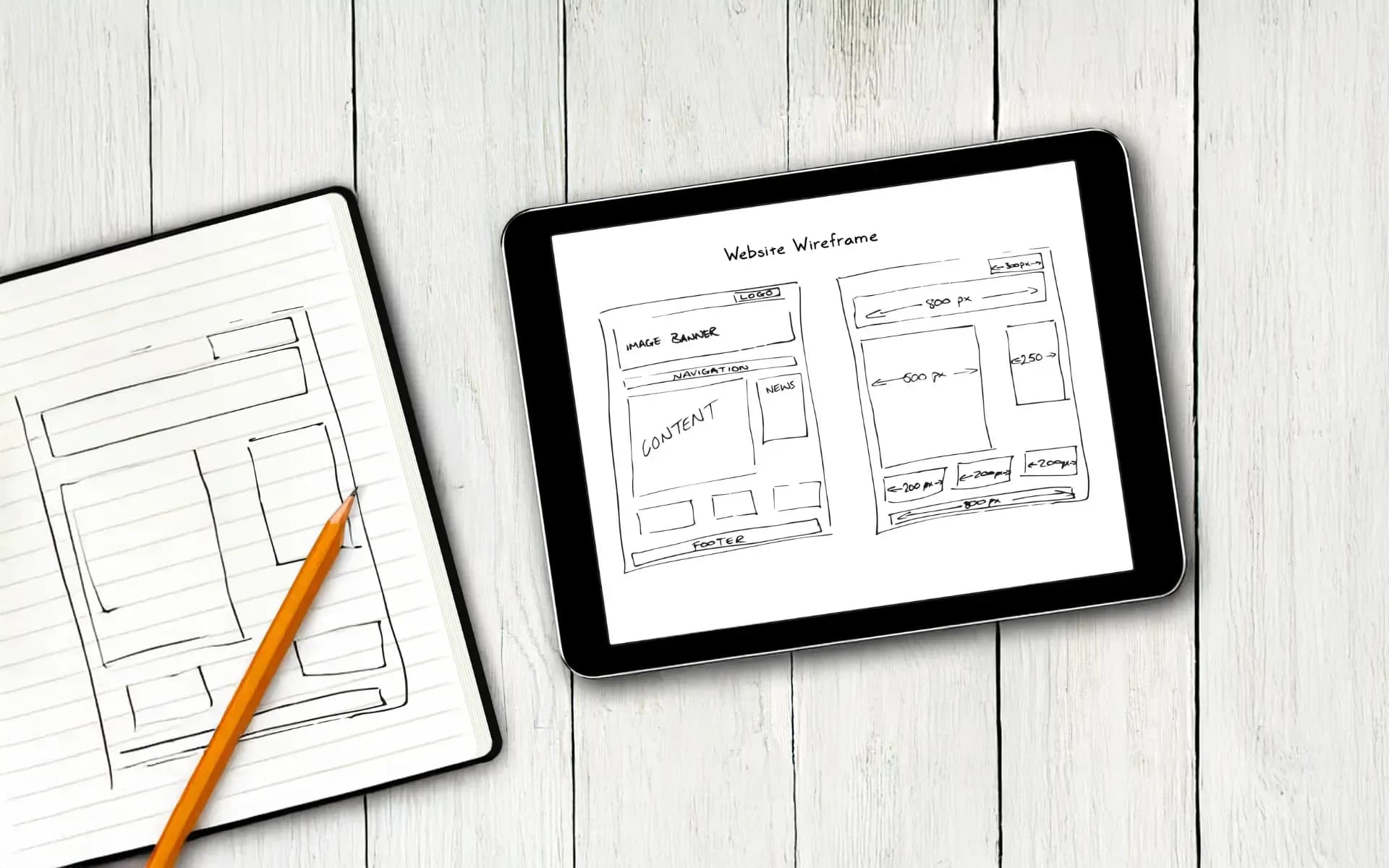
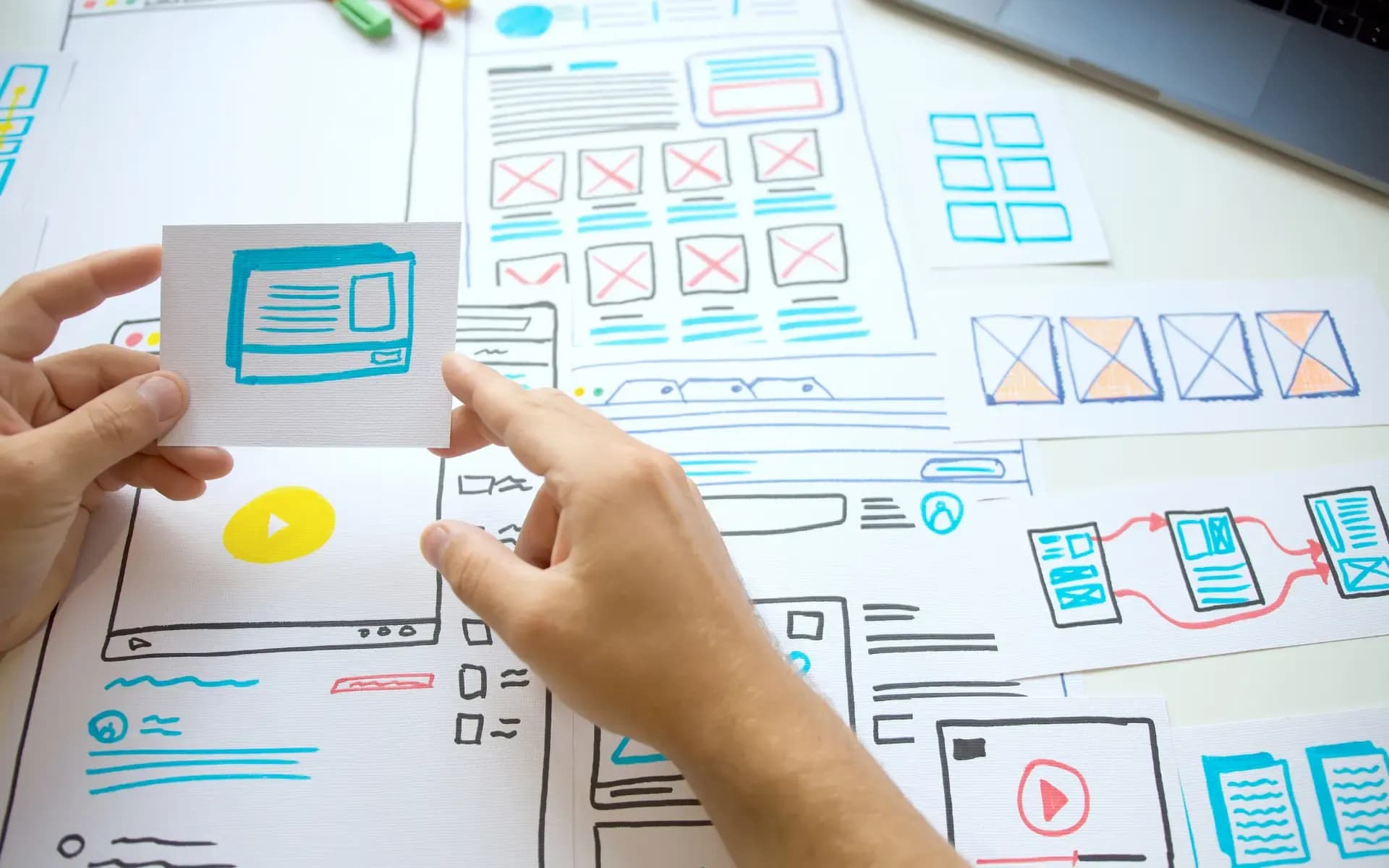
Wireframing is the creation of the skeleton of a website - a layout showing where the various elements will be, how they will work and in what order the user will interact with them. It's a bit like an architectural plan before building a house, only for your web presence.
Many entrepreneurs consider wireframing unnecessary. "Why should we pay for gray rectangles when we can immediatelygo to project?" - is a question I hear often. This approach can cost companies hundreds of thousands per year. Wireframe seems abstract, while a colorful mockup looks like the "real page."
Unfortunately, the reality is that it costs 10-100 times more to change the structure of the site after implementation than to make the same change at the wireframe stage. When a client discovers that a contact form should be higher up, a"About Us" section is not needed on the home page, wireframe can be improved in an hour. The finished site - in weeks.
One company I worked with a year ago saved 40K through thoughtful wireframing. In the process, they discovered that the planned structure of the online store was forcing customers to take unnecessary steps before buying. The fix at the wireframing stage took 2 hours. The same change after implementation would have required reprogramming the entire shopping cart system.
In this article, I will outline specific tools, processes and mistakes to avoid. You'll learn when to choose low-fidelity wireframes and when to choose high-fidelity wireframes, how to effectively communicate with your project team, and how to measure the return on that investment.
Why is wireframing the cornerstone of a successful website?
Wireframe can be compared to the skeleton of a website, while graphic design (mockup) is its full body. This difference can determine the success or failure of your web project. Wireframe shows the structure, hierarchy of content and functionality - it omits colors, fonts or images. A mockup, on the other hand, shows the final look, but if you come to change the structure at this stage, it means you have to start from scratch.
It is common for business owners to confuse these concepts. When they ask for a mockup outright, they may get a beautiful-looking site that doesn't do the job. The client may be delighted with the visual presentation, but users get lost in the navigation. Buttons, while striking, may be misplaced. The color scheme of the contact form may be excellent, but the form itself asks unnecessary questions.
User experience starts at the wireframe level. This is when you decide the order in which the user will encounter your sales arguments. Where you will place customer reviews to build trust before the form. How you will lead the eye from the headline to the call to action. These decisions, made at the gray rectangle stage, can translate into real profits.
IBM research suggests that it costs $1 to fix a bug in the design phase, $10 in the development phase, and as much as $100 after implementation. In Poland, the proportions are similar. Changing the structure in a wireframe costs about 500 zlotys. The same modification in a finished site can cost as much as 15 thousand zlotys.
For example, a client running a language school commissioned the creation of a website for 25 thousand zlotys. After a month of operation, it turned out that potential students were dropping out at the course selection stage because the process was too complicated. The redesign required reprogramming the enrollment system, which cost an additional 20 thousand. Had they tested the wireframe with actual users, this bug could have been discovered for about 2K at the UX testing stage.
Another example is a clothing e-commerce site. The owner wanted a "modern design" without prior wireframing. After implementation, it turned out that customers didn't notice the product filters, and the payment process required too many steps. The fixes consumed as much as 60% of the design budget.
Different types of wireframes and their use in web design
Choosing the right type of wireframe is like choosing the right tool for the job. A hammer is great for hammering nails, but with delicate electronics, a precision screwdriver will work better. It's the same with wireframes - each has its own use.
How to use low-fidelity wireframes in the initial design phase?
Low-fidelity sketches are the first step in organizing ideas. They're ideal for the beginning of a project, when you're gathering requirements and testing different concepts. This is the time to ask questions like "what if we put the form here?" or "do customers really need these three steps to buy?".
Their strength lies in simplicity. A gray rectangle with the words "product image" allows you to focus on the structure instead of visual details such as the color of the button. The business owner can evaluate the logic of the site without being distracted by details.
A piece of paper and a pen are always at hand. Balsamiq, POP or even PowerPoint are enough to create a useful wireframe. Costs are minimal, and the time it takes to make changes is minutes, not hours.
With a client who runs a beauty salon, we drew a wireframe on a napkin in a coffee shop. Five minutes of sketching saved us a week of later revisions. After seeing the structure on paper, the client immediately realized that the "price list" section should come before the booking form, not after it.
How do high-fidelity wireframes help in creating detailed designs?
Advanced wireframes are essential when the structure is already established and you need to plan complex functionalities. An e-commerce site with thousands of products, a booking platform or a site with CRM integration requires precise planning of every button.
This is where you plan form states, error messages and flows between subpages. You determine what the shopping cart looks like after adding a product, what happens when the user clicks "pay," and where the user goes after registering. These details can significantly affect conversions.
Figma, Sketch or Adobe XD allow you to create interactive prototypes. Clicking on a button takes you to the next screen and you can test the entire purchasing process before writing the first line of code.
A medical clinic needed an online enrollment system. The low-fidelity wireframe showed the overall structure, but booking needed to take into account doctor availability, appointment types, SMS reminders. The high-fidelity wireframe planned for each scenario. The result? The system has been running for two years without major modifications.
A food delivery restaurant tested the ordering process in a wireframe. It found that customers wanted to see the delivery time before selecting dishes, not after filling in the address. This change increased conversions by 23%.
What are the key elements of wireframes for achieving business goals?
Wireframe is more than just a layout of elements on a page. It's like a map that guides customers from the first click until the order is finalized. Each rectangle and each line has a specific business task.
How to plan information hierarchy in wireframes for better conversion?
Customers usually browse a website in a predictable way. First they glance at the headline, then they look for benefits, and finally they make a decision. Wireframe allows you to plan this journey step by step.
Start by mapping the customer path. If someone is looking for an accounting service, they first want to know if you serve their industry. Then he checks the price, and finally he looks for contact information. In a wireframe, this information should be arranged in a logical order.
Content prioritization is the key to success. The most important sales arguments should be visible right away, without having to scroll down the page. Customer reviews should be placed before the contact form, and certificates and awards where they build trust.
Planning conversion paths as early as the wireframe stage can save months of later optimization. Each path has a purpose. A blog visitor should sign up for a newsletter, a homepage user should schedule a consultation, and a store customer should go to the shopping cart.
A training company increased enrollment by 40% after redesigning its conversion path. In the original version, the enrollment form was at the end of the course description. After the changes, it was moved higher and participant feedback was added earlier. The simple change had a big effect.
How to schedule integrations in wireframes for better site performance?
Contact forms in wireframes are not just fields for "name" and "email." You need to plan what data you really need to contact. Too many fields can put people off, and too few will make it difficult to qualify leads.
Your lead generation strategy should start at the planning stage. Where will you place your lead magnets? How will you integrate the newsletter with the CRM? These decisions are already made in the wireframe, not just during programming.
Payment and reservation systems require detailed planning. How many steps does it take to finalize a purchase? Where will the customer see delivery costs? When will the data form appear? Each additional step can reduce conversion by 10-15%.
Integration with marketing tools starts in wireframes. Plan spaces for Facebook pixels, Google Analytics codes and chatbots. Where will pop-ups appear? When does remarketing activate?
Responsiveness is a standard, not an option. The mobile wireframe is often different from the desktop version. A hamburger-type menu can be used instead of full navigation. One call-to-action instead of three. Shorter forms. These differences should have been planned for from the beginning.
A dental clinic noticed a problem with a booking form in a mobile wireframe. On the phone, it had 12 fields. After shortening it to the top 4, the number of online bookings increased by 60%.
How to effectively work with an agency to create wireframes?
Successful wireframing relies on good communication between you and the project team. This is not a process where you simply delegate a task and wait for the finished result. For wireframing to be effective, the business owner should be involved at every stage of the work.
How do you effectively prepare to work with an agency on wireframes?
Before the first meeting, it is a good idea to prepare a detailed profile of your company and clients. Avoid generalities like "we offer IT services". Describe in detail: what type of companies you serve, what problems you solve and why customers choose you and not your competitors.
Gather data about your users. Where do they come to your site from? What do they do after they enter? At what point do they leave it? Tools such as Google Analytics, heat maps from Hotjar or simple surveys can provide valuable information. A designer needs this data to create a structure tailored to actual user behavior.
Conducting a competitive analysis can save time for discussions. Prepare a list of 5-10 competitor sites with notes: what you like, what to avoid, what features are standard in the industry. Add inspiration from outside your industry - sometimes the best ideas come from unexpected sources.
Set clear business goals and how to measure them. Instead of "increase sales," write "increase the number of quote requests by 30% in 6 months." Every element of the wireframe will be evaluated against these goals.
For example, a logistics company analyzed its last 50 customers before starting the project and discovered that 80% of them were already looking for information about delivery coverage on the homepage. This knowledge influenced the entire wireframe structure.
How does feedback affect subsequent iterations in creating wireframes?
Effective feedback is a real art. Instead of saying "I don't like this button," you can suggest "I'm concerned that the button in this location will be barely visible to our customers, who usually scan the page from left to right."
When evaluating a wireframe, ask yourself questions from the customer's perspective. Will he or she understand what you offer in 10 seconds? Can he easily find the information he needs? Is the contact or purchase process intuitive? At this stage, focus on functionality, not aesthetics.
A common mistake is to report aesthetic changes at the wireframe stage. "Make it prettier" makes no sense when working with gray rectangles. It is also important not to raise fundamental objections too late. If, after the third iteration, you find that you need CRM integration, the project will have to start over.
For example, a lawyer, after seeing the first wireframe, noticed that clients needed a litigation cost calculator. Early notification of this need made it possible to plan the functionality. Had it appeared later, it would have required redesigning a significant portion of the site.
Which wireframing tools are best for small and medium-sized businesses?
Choosing the right wireframing tool can be compared to the decision to implement an accounting system in a company. You can do your accounting in Excel, or you can bet on dedicated software. Both solutions work, but they work well at different scales of business.
Figma has gained market dominance in recent years, and for good reason. It runs in the browser and allows real-time collaboration. You enter comments and the designer sees them immediately. Sketch is still the standard for agencies using Macs, but requires installation. Adobe XD integrates with the entire Creative Cloud ecosystem, which is appreciated by companies already using Adobe tools.
For a small business with a team of 2-5 people, there is no need to invest in extensive features for a corporation. All you need is the free version of Figma or Balsamiq for $10 per month. You can create simple wireframes, share them with your team and collect feedback. The cost of a monthly subscription is about the same as one hour of a programmer's work.
Larger companies need advanced features such as version management, component libraries and integration with design systems. Figma Professional at $15 per user or Adobe XD at $20 offer these capabilities. With a team of more than 10 people, these features can pay for themselves in the first month.
Creating wireframes on your own doesn't have to involve expensive tools. Canva offers free wireframe templates. Draw.io allows you to create simple diagrams, and even PowerPoint is enough for basic layouts. I know a pizzeria owner who created a wireframe of his site in Google Slides - it took him two hours and saved him a week of communication with a programmer.
Investing in professional tools makes sense when wireframing becomes a regular part of your business. If you run an agency, have several projects a year or plan to optimize your site on a regular basis, then $200 a year for Figma Pro is an investment that will pay off.
Remember: the best tool is one that you will actually use. A simple application that you master in an hour is better than an advanced program that you don't use.
What wireframes to use for different types of business sites?
Designing business websites is like creating different buildings - the needs of a single-family house are completely different from the requirements of an office building or a shopping mall. Understanding the industry specifics will help you work more efficiently with your design team and avoid costly mistakes.
How to design wireframes for corporate websites and business cards?
A corporate website often becomes the first impression about your company. Within seconds, potential customers judge whether you are trustworthy. Therefore, the structure of the wireframe must reflect this.
Key sections should be arranged according to the psychology of decision-making. Start with the hero section with a clear value proposition, then the social proof of value (reviews, certifications, known customers), then the details of the offer and finally the contact. This order corresponds to the customer's natural thought process.
Building trust through structure means strategically placing credibility elements. Business partner logos should be close to the header. Certifications and awards are worth placing before the "About Us" section. Customer reviews are good to place just before the contact form. For example, a law firm I worked with increased inquiries by 35% after moving the testimonials higher on the page.
Key elements of wireframes for e-commerce and online stores
An online store is a sales machine where every click can result in profit or loss. Wireframing in e-commerce requires thinking like a consumer psychologist.
The nature of online sales is to eliminate the barriers between the desire to buy and its realization. Plan short paths to products, visible filters and clear calls to action. The customer must not get lost between the category and the shopping cart.
Optimization of the payment process starts at the wireframe stage. Each additional screen reduces conversion by about 10%. Plan options such as guest checkout, saved payment methods and progress bar as early as the wireframe stage. An electronics store reduced the payment process from 6 to 3 steps based on wireframes, resulting in a 28% increase in conversions.
In e-commerce, a mobile-first approach is essential. 60% of online shopping is done on phones. A mobile wireframe shows how big the buttons should be, where to place the shopping cart and how to simplify navigation.
How to design wireframes for service and SaaS platforms?
The dashboard is the focal point of any business application. Users log in here every day, so the structure must be intuitive from the first contact.
Wireframing user panels requires mapping user paths. What actions are most frequently performed? These functions should be easily accessible, while less frequently used options can be hidden deeper in the menus.
Designing onboarding flow at the wireframe level is all about planning the first steps of new users. Too much information at the start can discourage, too little can confuse. An invoicing app I worked with increased activation by 45% after redesigning the introductory process.
What are the common wireframe errors and how to avoid them?
Why do many wireframing projects fail to achieve success? Often for predictable reasons. Business owners continue to duplicate the same mistakes I've observed for years. The good news is that they can all be avoided.
The biggest mistake seems to be focusing on colors instead of structure. "I don't like this blue". - if you hear this when discussing a wireframe, something is wrong. Wireframes are supposed to be simple and functional, and are used to test logic, not aesthetics. I had a client, a hair salon owner, who spent three meetings discussing shades in a wireframe. Unfortunately, he missed a key problem - clients didn't know how to book an appointment online.
Overlooking the mobile aspect is a simple path to failure. More than 60% of web traffic comes from phones, yet many companies still design with desktop in mind. A mobile wireframe should not just be a scaled-down version of a desktop one - it's a separate design with its own rules. Hamburger menus, larger buttons and different navigation paths are important.
Testing with Lorem ipsum instead of actual content can lead to unpleasant surprises. "Our long headline doesn't fit in the designed space". - is a classic problem. Use real texts already at the wireframes stage. If you don't have them, it's a signal that the content of the site needs to be refined before design begins.
Overlooking error conditions is an easy path to post-deployment problems. What happens when a form returns an error? Where does the sold-out message appear? What does a blank search results page look like? Such scenarios are worth planning for as early as the wireframes stage, rather than discovering during testing.
Practical tip: create a checklist before each wireframe. Do we have real content? Have we checked the mobile version? Have we planned all form states? It's a simple habit that can save months of revisions.
A real-life example: a veterinary clinic avoided an expensive redesign by testing a wireframe with actual texts. They discovered that the procedure descriptions were too long for the planned layout. The change in the wireframe took one hour, while it would have cost 8K after implementation.
What metrics measure the effectiveness of wireframes after implementation?
Wireframe is an investment that should bring tangible benefits. Once the site is up and running, it's time to see if the structure designed in those gray rectangles really does the job.
Pay attention to key indicators:conversion rate, which is the percentage of visitors who perform the desired action.Bounce rate will indicate how many users leave the site without interacting.Time on page will allow you to assess whether the content engages for long enough. Combine this data with heatmaps that show where users are actually clicking compared to the intentions in the wireframe.
Conducting A/B tests on structural changes provides valuable insights. Experiment with different layouts of key elements: should the contact form be higher or lower, or maybe customer reviews before the offer description? For example, an online store increased conversions by 15% after moving the "add to cart" button - this change was the result of structure testing.
Data from the first months of operation can reveal weaknesses in the wireframe. Users may ignore an important section - then it's worth rethinking its position. If they give up at a certain stage, perhaps the process needs to be simplified. This is iterative refinement, where each change is based on actual user behavior, not assumptions.
Calculating the ROI of wireframing is simple: compare the cost of the process with the savings on later redesigns. A service company spent 3 thousand on wireframing, but avoided a redesign for 25 thousand. In addition, the increased conversions generated 40,000 in additional revenue per year. The return on investment was 2,100%.
Summary and next steps
Wireframing is an investment that really pays off. It can help you avoid months of revisions, save you thousands in re-design, and reduce frustration within your team. The simplicity of structures planned in gray rectangles can be crucial to the success of your site.
Start any web project by creating basic wireframes. Don't wait for a "big redesign" - even if you plan minor changes, it's a good idea to start with a structure. Choose tools that match the scale of your business, and test wireframes with real content and users.
The wireframing process is best started before you write the first line of code. The ideal time? When you have clearly defined business goals, but before you've made visual decisions. Starting too early can be a waste of time, and starting too late can be a waste of money.
Do you need support in planning the structure of your website? Contact our team - we offer a free consultation and will show you how wireframing can improve your online presence.
Remember: every day you delay optimization is a lost opportunity for conversions. Plan your structure today, and enjoy the profits tomorrow.
💡Tip
Before you start designing, make sure you understand the needs of your users. Wireframing is a great opportunity to test different concepts before making costly design decisions.
What's next?
If you plan to implement in the next 2-3 months:
First steps:
- Analyze the current structure of the site - Identify elements that may need to be revamped to improve the user experience.
- Set a budget for wireframing - Include a buffer of 20% for any additional work.
- Construct a project team - Select 2-3 key people who will be responsible for various aspects of the project.
Useful tools:
- Figma - Ideal for real-time collaboration and advanced wireframing.
- Balsamiq - Great for quickly creating simple low-fidelity wireframes.
Do you need help?
- Make an appointment for a free consultation - We will discuss your case and help you plan the implementation.
If you are still gathering knowledge:
Recommended articles:
- UX/UI design - Learn how a well-designed interface can increase conversions.
- Content and Media - Discover how content drives user engagement.